
weg.de Scraper
The Scrapebit weg.de Scraper lets you extract structured hotel data from weg.de’s search results and hotel detail pages using AI-powered automation. Quickly gather hotel names, prices, ratings, amenities, and booking links for analysis, planning, or comparison—no manual copying required. Ideal for travel agencies, researchers, bloggers, and developers who need accurate, ready-to-use weg.de hotel data.
The Scrapebit AI-Powered weg.de Scraper is a Chrome Extension that uses advanced AI to transform hotel listings and details from weg.de into structured, downloadable data. With just a couple of clicks, you can extract hotel names, prices, amenities, and more—making travel research, price comparison, and data analysis faster and more accurate than ever.
🏨 What is weg.de Scraper
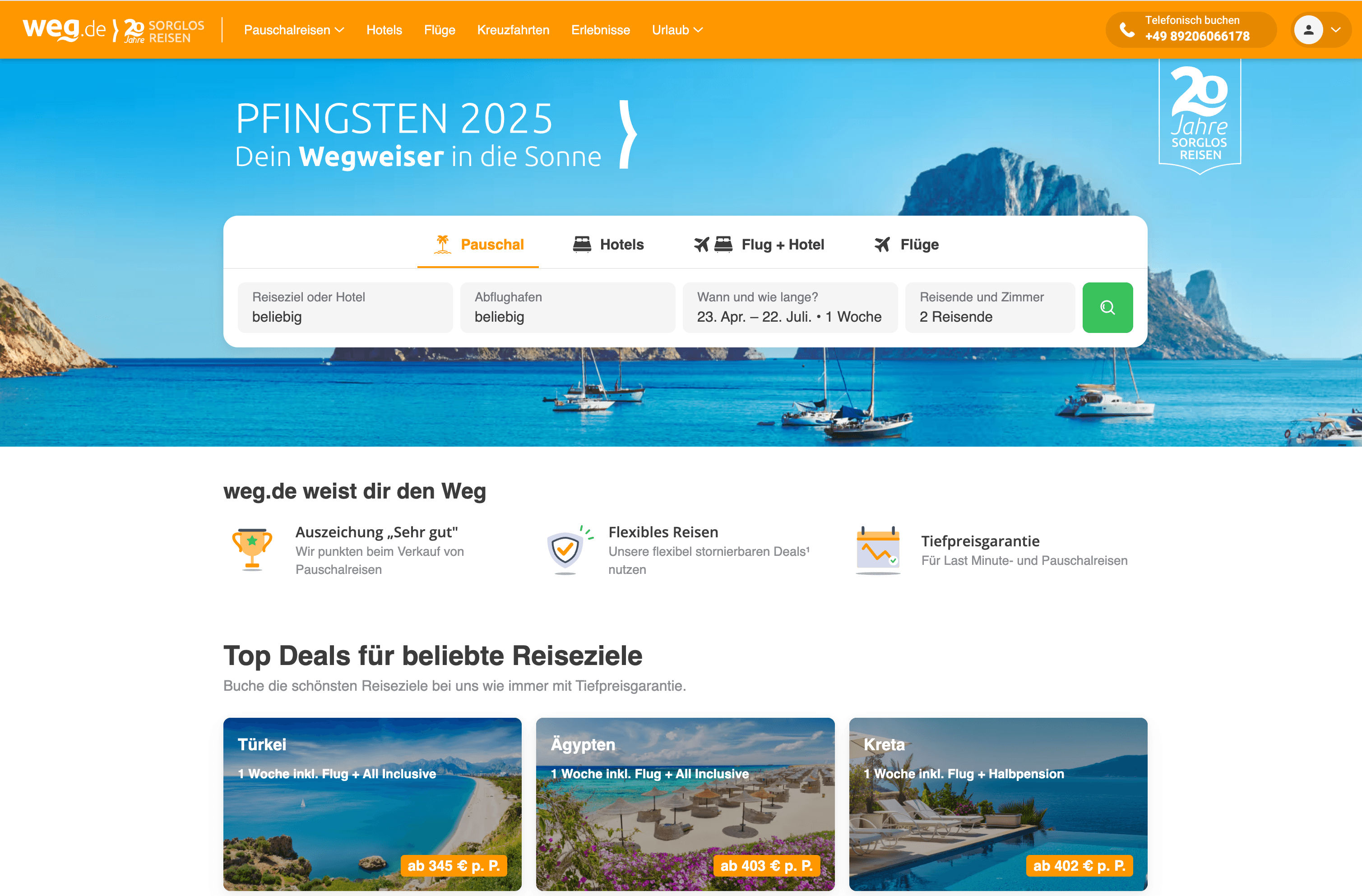
The weg.de Scraper is an AI Web Scraper designed to help you extract data from weg.de—one of Europe’s leading travel booking platforms. Powered by Scrapebit’s AI, this tool reads and structures hotel search results and detailed hotel pages automatically. All you need to do is visit the weg.de website, click AI Suggest Columns, and then hit Scrape to get your data in a ready-to-use format.
🔍 What can you scrape with weg.de Scraper
Scrapebit’s AI-powered weg.de Scraper is perfect for extracting both broad hotel search results and in-depth hotel details. Here’s how you can use it for your travel research, business intelligence, or competitive analysis.
🏨 Scrape weg.de Hotel Search Results Page
With the hotel search results page, you can extract a list of hotels, their prices, ratings, and more—ideal for building your own comparison tables or market research datasets.
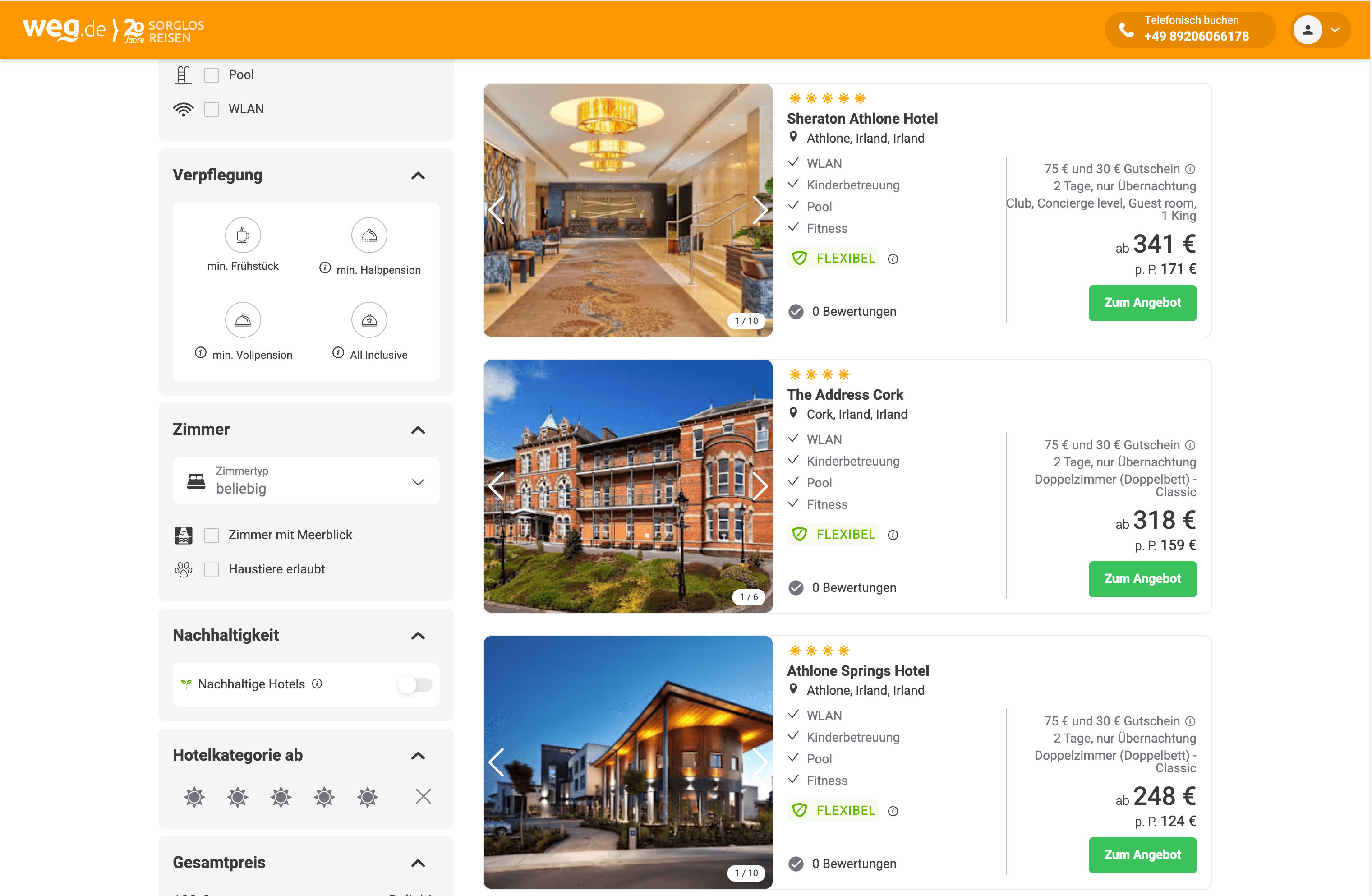
Steps:
- Sign up for Scrapebit — choose any access method: Web App for in-browser scraping, Chrome Extension to scrape any page you visit, or the REST API for automation.
- Go to the weg.de hotel search results page.
- Click AI Suggest Columns—Scrapebit’s AI will recommend the best columns for your data.
- Click Scrape to extract the data and download your file.
Column names
🏨 Scrape weg.de Hotel Details Page
Dive deeper by scraping individual hotel detail pages for comprehensive information—perfect for travel agencies, analysts, or anyone needing granular hotel data.
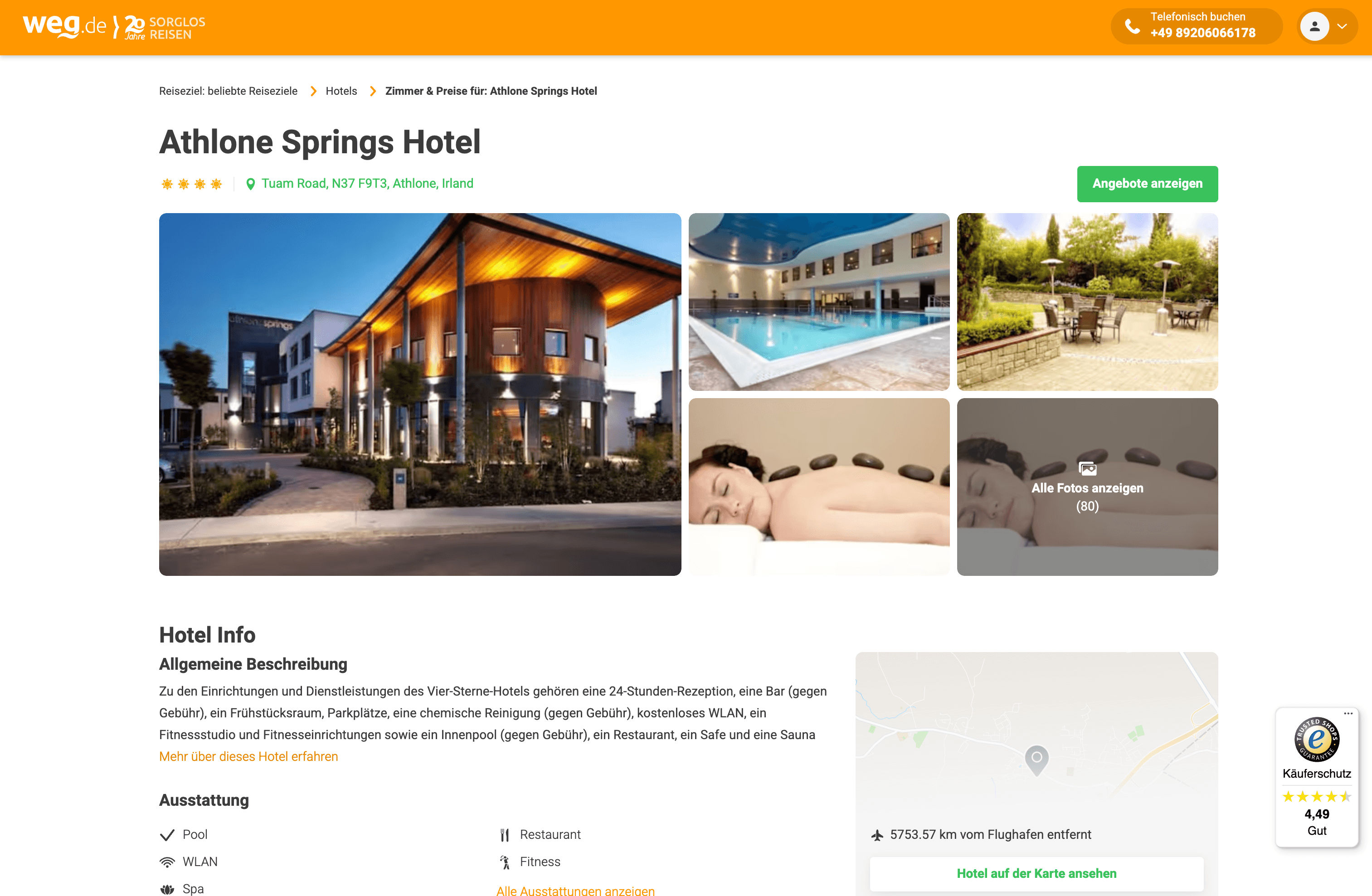
Steps:
- Sign up for Scrapebit — choose any access method: Web App for in-browser scraping, Chrome Extension to scrape any page you visit, or the REST API for automation.
- Go to the specific hotel’s detail page on weg.de.
- Click AI Suggest Columns to let Scrapebit’s AI recommend the most relevant data fields.
- Click Scrape to extract and download the detailed hotel information.
Column names
💡 Why Use weg.de Scraper Tool
Scraping hotel data from weg.de can save you hours of manual research and data entry. Here’s why you might want to use this tool:
- Travel Agencies & Agents: Quickly build comparison tables or update your own booking platforms.
- Market Researchers: Analyze pricing trends, amenities, and guest ratings across regions.
- E-commerce & Affiliate Marketers: Aggregate hotel data for content, reviews, or affiliate sites.
- Data Analysts: Collect structured data for custom dashboards or reports.
- Vacation Planners: Compare hotels side-by-side for personal or group travel planning.
With Scrapebit’s AI, you don’t need to write code or configure complex scrapers—just point, click, and download.
🧩 How to Use weg.de Chrome Extension
- Install the Scrapebit Chrome Extension: Download Scrapebit (as a Web App or Chrome Extension) and register your account.
- Navigate to weg.de Search or Hotel Details Page: Go to the hotel search results or any hotel’s detail page.
- Activate AI-Powered Scraper: Click AI Suggest Columns to generate column names or customize columns to meet your needs.
For more tips, check out How to Scrape Website Data into Excel using AI and How to Scrape Public Web Pages Using AI.
💸 Pricing for weg.de Scraper
Scrapebit uses a credit-based system: 1 credit = 1 output row. The AI-powered weg.de Scraper is free to try—scrape up to 6 pages per month on the Free Plan, or start a free trial for 10 pages. After that, you can choose from flexible monthly or yearly plans:
- A credit is an output row—so you only pay for the data you actually extract.
- Yearly plans are more cost-effective and currently discounted.
- Try Scrapebit (as a Web App or Chrome Extension) for free, or see Scrapebit Pricing for more details.
❓ FAQ
-
What is the AI Powered weg.de Scraper?
The AI Powered weg.de Scraper is a Chrome Extension that uses artificial intelligence to extract structured hotel data from weg.de. It automates the process of collecting hotel listings, prices, amenities, and more, making it easy to download and analyze travel data without manual copying or coding.
-
What is Scrapebit?
Scrapebit is an AI-driven productivity tool that helps you automate web scraping, data extraction, and repetitive online tasks. With its Chrome Extension, you can scrape data from publicly accessible webpages, including PDFs and images, using AI-powered features like "AI Suggest Columns" for fast, accurate results.
-
How do I get started with the weg.de Scraper?
Simply install Scrapebit (as a Web App or Chrome Extension), register for an account, and navigate to the weg.de page you want to scrape. Click "AI Suggest Columns" and then "Scrape" to download your data.
-
What data can I extract from weg.de hotel search results?
You can extract hotel names, locations, prices, ratings, descriptions, URLs, and images from the search results page. This data is ideal for building comparison tables, conducting market research, or planning trips.
-
Can I scrape detailed hotel information from individual hotel pages?
Yes, the weg.de Scraper can extract detailed information such as address, contact info, star rating, guest reviews, amenities, and gallery images from individual hotel detail pages.
-
How many pages can I scrape for free?
On the Free Plan, you can scrape up to 6 pages per month. If you start a free trial, you can scrape up to 10 pages before needing to upgrade to a paid plan.
-
What is a credit and how is it used?
A credit represents one output row of data. For example, scraping a search results page with 20 hotels will use 20 credits. Credits are included in all paid plans, and you can choose a plan based on your data needs.
-
Is the AI Suggest Columns feature available for all websites?
Yes, Scrapebit’s "AI Suggest Columns" works on publicly accessible webpages, including weg.de. The AI analyzes the page and recommends the most relevant columns for your data extraction, which you can further customize.
-
Where can I learn more about web scraping and Scrapebit’s features?
Visit the Scrapebit Blog for guides like What Is Data Scraping and How to Do It in 2025, How to Scrape Public Web Pages Using AI, and The Best Web Scraping Tools & Software in 2025.
📚 Learn More
- Scrapebit Official Website
- Scrapebit Chrome Extension Download Page
- Scrapebit Pricing
- Scrapebit Blog
- How to Scrape Website Data into Excel using AI
- How to Scrape Public Web Pages Using AI
- The Best Web Scraping Tools & Software in 2025
- Scrapebit YouTube Channel
Ready to turn hotel listings into actionable data? Try Scrapebit’s AI-powered weg.de Scraper today and streamline your travel research or business intelligence workflow.
Ready to use this template?
Install the Scrapebit Chrome extension and start scraping in minutes.