
Travel Impressions Scraper
The Scrapebit Travel Impressions Scraper lets you extract structured data from Travel Impressions, including discounted airfare deals and program overviews. Use AI-powered field suggestions to quickly gather deal names, airlines, travel dates, destinations, and program details for analysis or business use.
The Scrapebit AI-Powered Travel Impressions Scraper is a smart Chrome extension that lets you extract structured data from Travel Impressions in just a couple of clicks. Using advanced AI, Scrapebit reads and organizes website content—like discounted airfare deals and program overviews—so you can download and analyze the information you need, fast.
✈️ What is Travel Impressions Scraper
The Travel Impressions Scraper is an AI Web Scraper designed to help you collect data from the Travel Impressions website. With Scrapebit’s Chrome Extension, you simply visit the Travel Impressions site, click AI Suggest Columns, and then hit Scrape. The AI automatically structures the data, making it easy to export and use for your business, research, or travel planning.
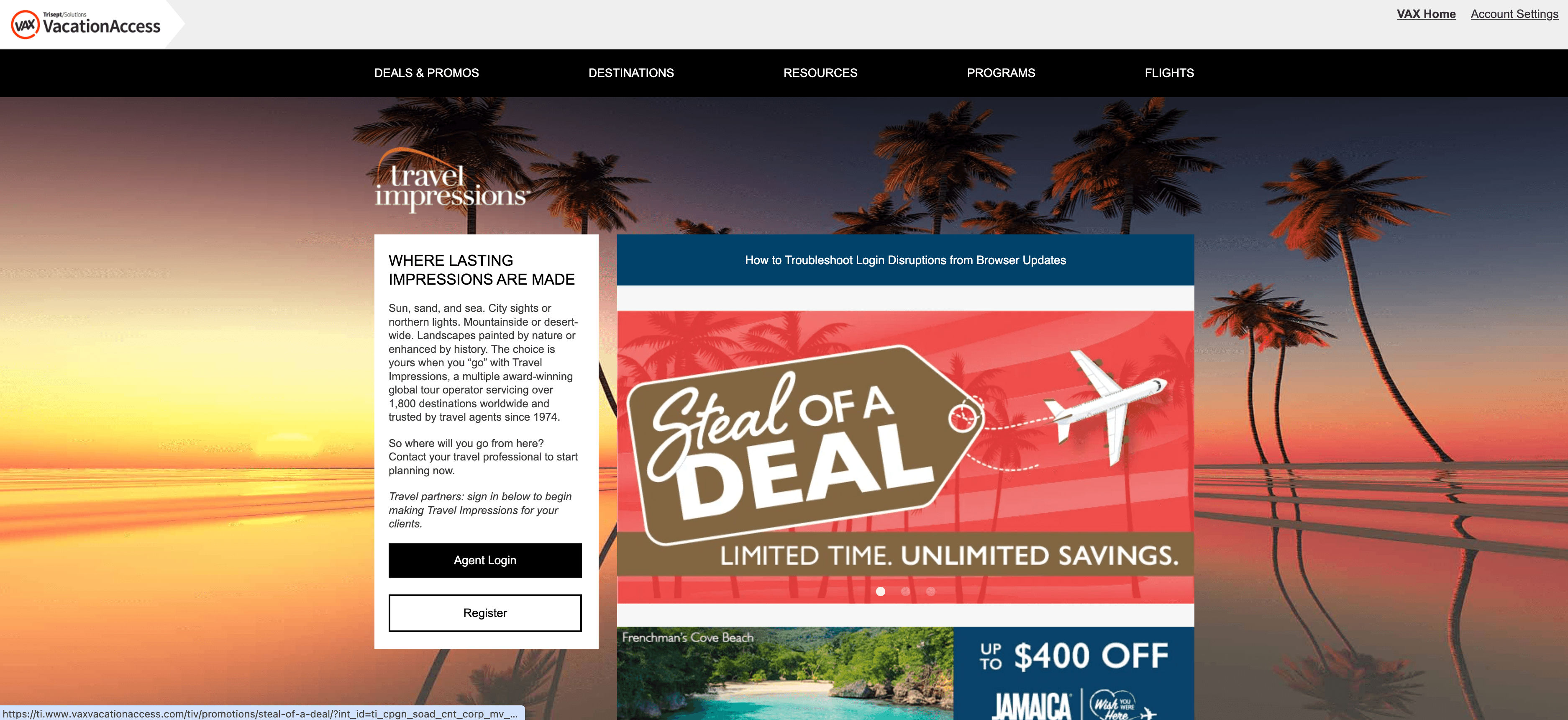
🌍 What can you scrape with Travel Impressions
Scrapebit’s AI-powered scraper is perfect for extracting up-to-date travel deals, program details, and more from Travel Impressions. Here’s how you can use it for two popular use cases:
💸 Scrape Travel Impressions Discounted Airfare Deals
With this use case, you can extract all the latest discounted airline offers from the Travel Impressions Discounted Airfare Deals Page. This is ideal for travel agents, deal aggregators, or anyone looking to monitor airfare promotions.
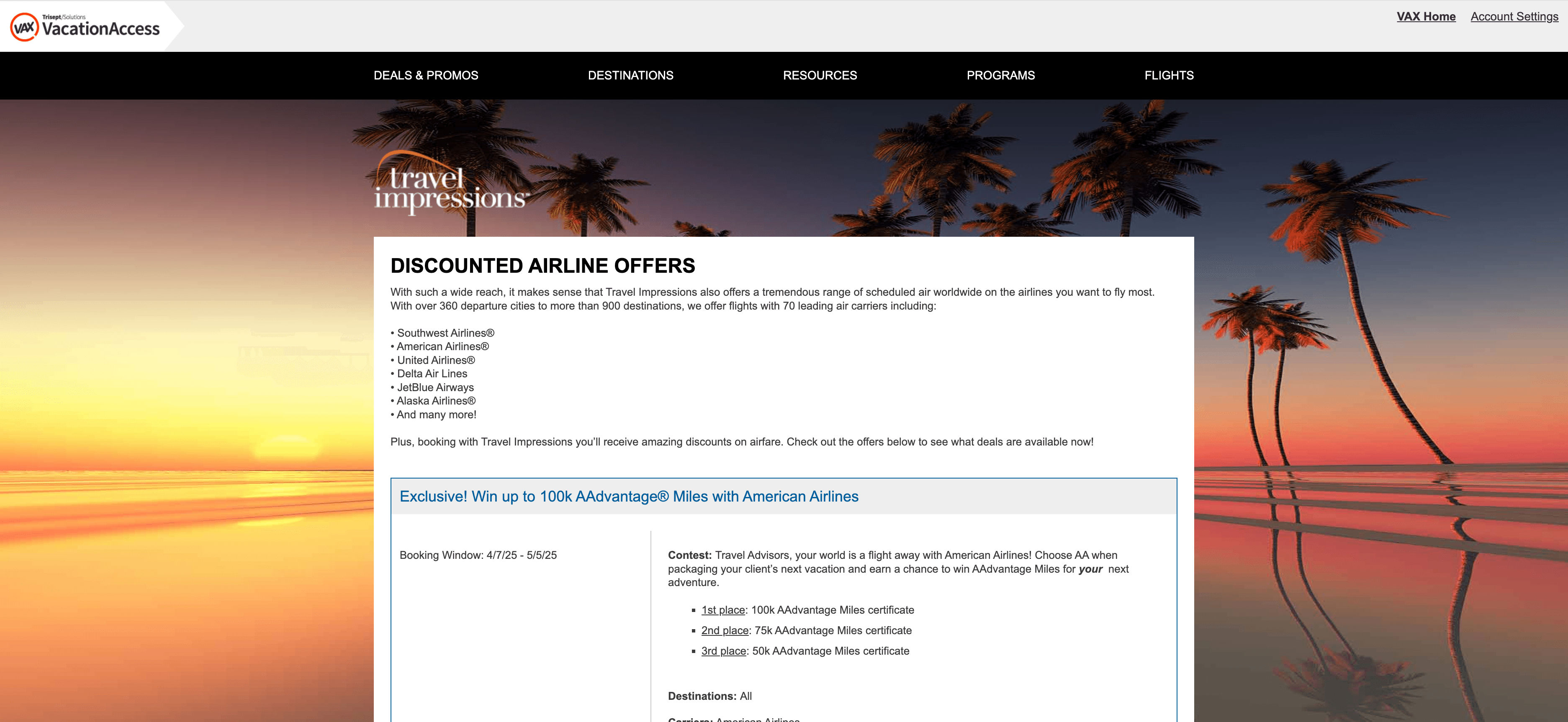
Steps:
- Sign up for Scrapebit — choose any access method: Web App for in-browser scraping, Chrome Extension to scrape any page you visit, or the REST API for automation.
- Go to the Discounted Airfare Deals page.
- Click AI Suggest Columns to let Scrapebit recommend the best columns for scraping.
- Click Scrape to extract the data and download your file.
Column names
🗺️ Scrape Travel Impressions Programs Overview
This use case lets you extract a summary of all programs offered by Travel Impressions from the Programs Overview Page. Perfect for travel consultants, researchers, or anyone comparing travel programs.
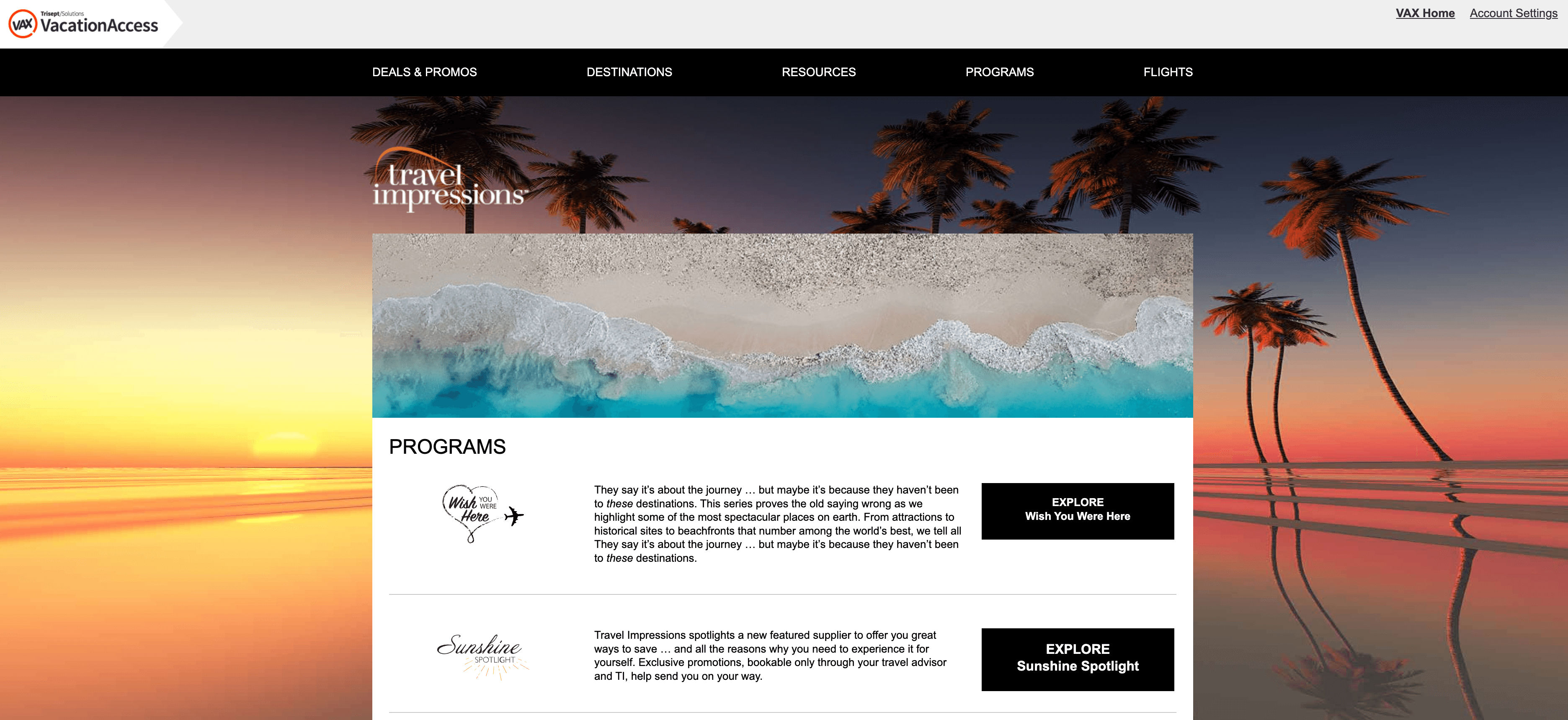
Steps:
- Sign up for Scrapebit — choose any access method: Web App for in-browser scraping, Chrome Extension to scrape any page you visit, or the REST API for automation.
- Go to the Programs Overview page.
- Click AI Suggest Columns to let Scrapebit recommend the best columns for scraping.
- Click Scrape to extract the data and download your file.
Column names
🤔 Why Use Travel Impressions Tool
Scraping Travel Impressions data can save you hours of manual copy-pasting and help you:
- Travel Agents: Stay updated on the latest deals and programs to offer your clients.
- Marketers: Monitor competitor promotions and adjust your campaigns.
- Researchers: Collect structured data for market analysis or trend spotting.
- Travel Enthusiasts: Track the best offers and plan your next trip with all the details at your fingertips.
With Scrapebit, you get accurate, AI-structured data that’s ready for Excel, Google Sheets, or your CRM.
🧩 How to Use Travel Impressions Chrome Extension
- Install the Scrapebit Chrome Extension: Download the extension and register your account.
- Navigate to Discounted Airfare Deals or Programs Overview Page: Go to the Discounted Airfare Deals or Programs Overview page.
- Activate AI-Powered Scraper: Click AI Suggest Column to generate column names or customize columns to meet your needs.
For more tips, check out How to Scrape Website Data into Excel using AI and How to Scrape Public Web Pages Using AI.
💵 Pricing for Travel Impressions
Scrapebit uses a credit-based system:
- 1 credit = 1 output row of data.
- Free plan: Scrape up to 6 pages per month.
- Free trial: Scrape up to 10 pages for free when you start your trial.
Paid plans are available for higher volume needs, and the yearly plan offers the best value with a significant discount.
You can always start for free, and upgrade as your needs grow. Learn more about pricing on the Scrapebit Pricing page.
❓ FAQ
-
What is the AI Powered Travel Impressions Scraper?
The AI Powered Travel Impressions Scraper is a Chrome extension that uses artificial intelligence to extract structured data from the Travel Impressions website. It reads the content of airfare deals, program overviews, and more, then organizes it into a downloadable format for your convenience. -
What is Scrapebit?
Scrapebit is an AI web scraping tool that helps you automate data extraction from publicly accessible webpages, including Travel Impressions. It’s designed for business users, marketers, researchers, and anyone who needs structured web data quickly and easily. Learn more at the Scrapebit Official Website. -
How do I get started with the Travel Impressions Scraper?
Simply install Scrapebit (as a Web App or Chrome Extension), register for an account, and navigate to the Travel Impressions page you want to scrape. Use the AI Suggest Columns feature to set up your data extraction, then click Scrape. -
What kind of data can I extract from Travel Impressions?
You can extract discounted airfare deals, program names, descriptions, travel dates, destinations, and more. The AI will suggest the most relevant columns, but you can also customize them to fit your needs. -
How many pages can I scrape for free?
On the free plan, you can scrape up to 6 pages per month. If you start a free trial, you can scrape up to 10 pages before needing to upgrade to a paid plan. -
What is a credit and how is it used?
A credit represents one output row of data. For example, if you scrape a page with 50 deals, you’ll use 50 credits. Credits are included in all paid plans, and you can always purchase more as needed. -
Can I export the scraped data to Excel or Google Sheets?
Yes, Scrapebit lets you download your scraped data as a CSV file, which you can easily open in Excel, Google Sheets, or import into your CRM or database. -
Is it legal to scrape Travel Impressions?
Scraping publicly available data for personal or business use is generally allowed, but you should always review the website’s terms of service and ensure compliance with relevant laws and regulations. -
Where can I find more resources or tutorials?
Check out the Scrapebit Blog for guides like How to Scrape Public Web Pages Using AI, How to Scrape Website Data into Excel using AI, and more. You can also visit the Scrapebit YouTube Channel for video tutorials.
📚 Learn More
- Scrapebit Official Website
- Scrapebit Chrome Extension Download
- Scrapebit Pricing
- Scrapebit Blog
- What Is Data Scraping and How to Do It in 2025
- How to Scrape Public Web Pages Using AI
- How to Scrape Website Data into Excel using AI
- Scrapebit YouTube Channel
With Scrapebit, you can turn Travel Impressions’ web content into actionable data—no coding required. Try it today and see how much time you can save.
Ready to use this template?
Install the Scrapebit Chrome extension and start scraping in minutes.