
タウンワーク Scraper
Scrapebit's タウンワーク scraper uses AI to extract job listings and detailed job information from タウンワーク in just a few clicks. Export structured data such as job titles, company names, locations, and descriptions directly to Excel, Google Sheets, Airtable, or Notion.
Scrapebit’s AI-Powered タウンワーク Scraper transforms the way you collect job data from タウンワーク, Japan’s leading job search platform. With Scrapebit — available as a Web App or Chrome Extension —, you can use AI to structure and export job listings and detailed job information—such as job titles, company names, locations, and descriptions—directly into Excel, Google Sheets, Airtable, or Notion in just a few clicks.
🏢 What is タウンワーク Scraper
The タウンワーク Scraper is an AI Web Scraper designed to extract structured job data from タウンワーク, one of Japan’s most popular job search websites. By leveraging Scrapebit’s AI, you simply navigate to the タウンワーク site, click AI Suggest Columns, and then hit Scrape to instantly collect and organize job listings or detailed job information—no coding or manual copy-pasting required.
🔍 What can you scrape with タウンワーク Scraper
Scrapebit’s タウンワーク Scraper is perfect for anyone who needs to collect job data for research, recruitment, or business intelligence. Here’s how you can use it for two primary use cases:
💼 Scrape タウンワーク Job Listings
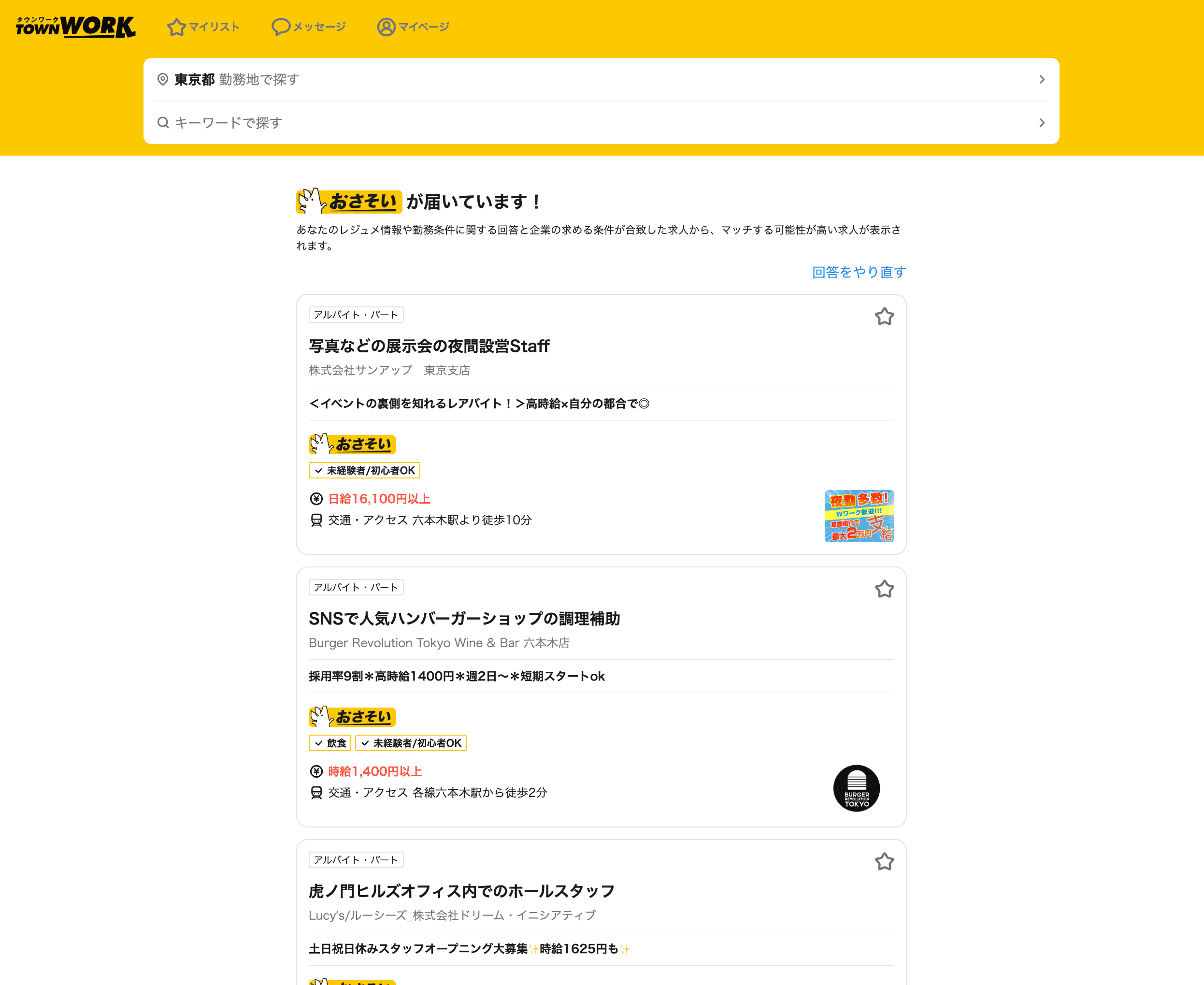
Extract comprehensive job listing data from タウンワーク’s Tokyo job listings page. This is ideal for recruiters, HR professionals, and analysts who want to monitor the job market or build candidate pipelines.
Steps:
- Download the Scrapebit Chrome Extension and register an account.
- Go to the タウンワーク Tokyo job listings page.
- Click AI Suggest Columns to let AI recommend the best column names for your data.
- Click Scrape to run the scraper, get your data, and download the file.
Column names
📝 Scrape タウンワーク Job Details
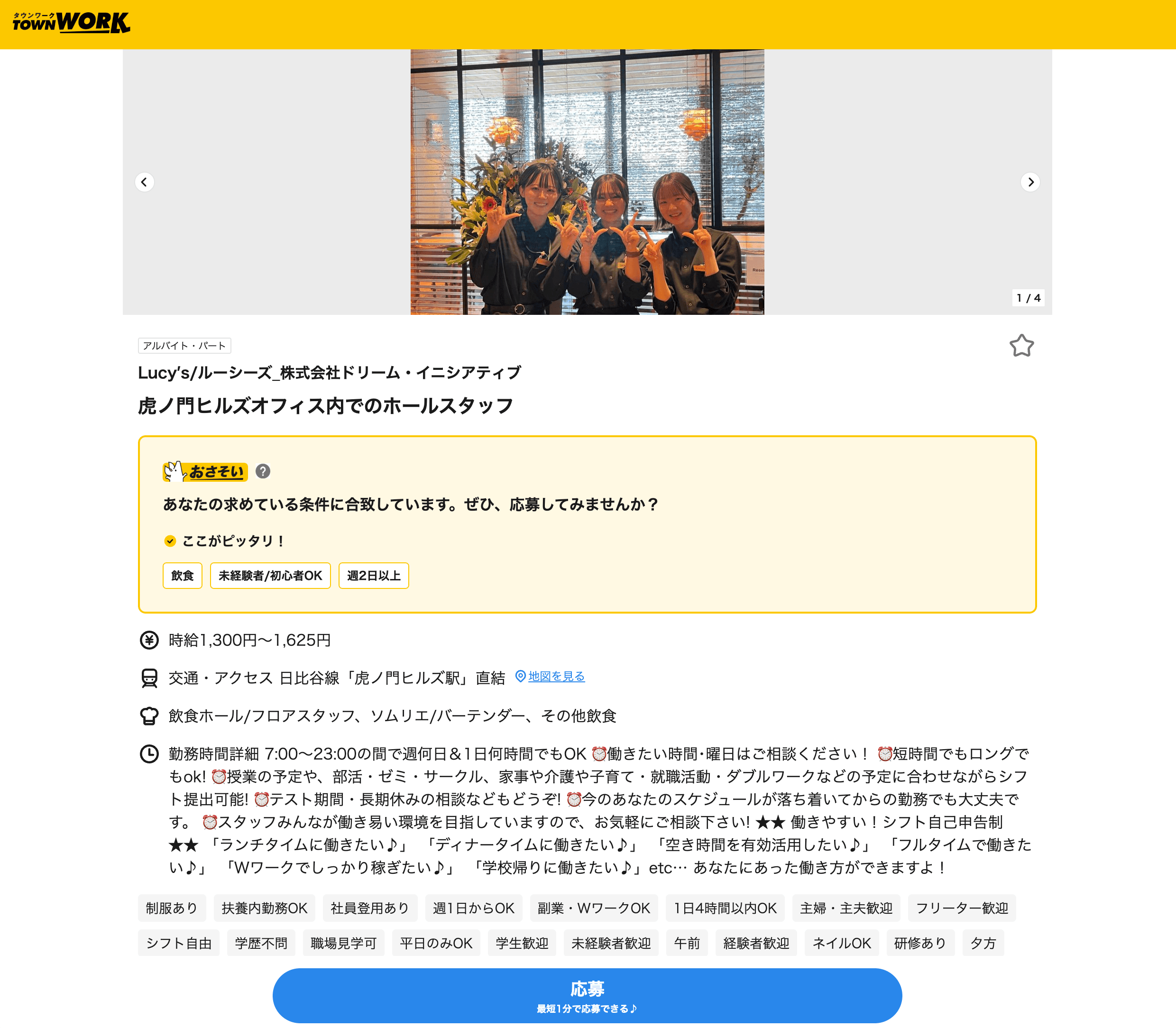
Dive deeper by extracting detailed job information from individual タウンワーク job detail pages. This is perfect for building rich datasets for analysis or CRM integration.
Steps:
- Download the Scrapebit Chrome Extension and register an account.
- Go to the タウンワーク job detail page.
- Click AI Suggest Columns to let AI recommend the best column names for your data.
- Click Scrape to run the scraper, get your data, and download the file.
Column names
🌟 Why Use タウンワーク Scraper Tool
Scraping タウンワーク data with Scrapebit unlocks a range of benefits for different professionals:
- Recruiters & HR Teams: Build up-to-date candidate lists, monitor competitor hiring, and analyze job market trends.
- Job Seekers: Aggregate and compare job opportunities efficiently.
- Market Researchers: Collect large datasets for labor market analysis or salary benchmarking.
- Business Analysts: Integrate job data into dashboards or CRMs for deeper insights.
Scrapebit’s AI-powered approach means you don’t have to worry about changing website layouts or manual data entry. The AI reads the page, structures the data, and even handles subpage and pagination scraping—saving you hours of repetitive work.
🧩 How to Use タウンワーク Chrome Extension
- Install the Scrapebit Chrome Extension: Download the extension and register your account.
- Navigate to タウンワーク Job Listings or Details Page: Go to タウンワーク’s job listings or any job detail page.
- Activate AI-Powered Scraper: Click AI Suggest Column to generate column names or customize columns to meet your needs.
For a step-by-step guide, check out How to Scrape Public Web Pages Using AI and How to Scrape Website Data into Excel using AI.
💸 Pricing for タウンワーク Scraper
Scrapebit uses a credit-based system:
- 1 credit = 1 output row
- Free Plan: Scrape up to 6 pages per month at no cost
- Free Trial: Scrape up to 10 pages for free when you start a trial
Paid plans are available for higher-volume needs, and the yearly plan offers the best value with a significant discount.
You can always view the latest pricing and plan details on the Scrapebit Pricing page.
❓ FAQ
-
What is the AI Powered タウンワーク Scraper?
The AI Powered タウンワーク Scraper is a tool that uses artificial intelligence to extract structured job data from タウンワーク. It reads the website, suggests the best columns, and lets you export the data in just a few clicks—no coding required. -
What is Scrapebit?
Scrapebit is an AI web scraping Chrome Extension that helps you automate data extraction from publicly accessible webpages. It’s designed for business users, recruiters, marketers, and analysts who want to save time and improve productivity. -
How do I get started with the タウンワーク Scraper?
Simply install the Scrapebit Chrome Extension, register an account, and navigate to the タウンワーク page you want to scrape. Click AI Suggest Columns and then Scrape to get your data. -
What data can I extract from タウンワーク?
You can extract job titles, company names, locations, salaries, working hours, job descriptions, contact information, and direct URLs to job postings. The AI can also help you customize and label columns as needed. -
Can I scrape subpages and handle pagination?
Yes, Scrapebit’s AI can automatically detect and scrape subpages (like job detail pages) and handle pagination, so you can collect data from multiple pages or listings in one go. -
How do credits work?
Each output row of data costs 1 credit. The free plan gives you 6 pages per month, and the free trial lets you scrape 10 pages. Paid plans offer more credits for higher-volume needs. -
Is it possible to export data to Excel, Google Sheets, Airtable, or Notion?
Absolutely. Scrapebit lets you export your scraped data directly to Excel, Google Sheets, Airtable, or Notion, and you can also download it as CSV or JSON files. -
Is Scrapebit available in Japanese?
Yes, Scrapebit supports 34 languages, including Japanese, making it easy for users in Japan to use the tool in their preferred language. -
Is it legal to scrape data from タウンワーク?
Scraping publicly available data for personal or business use is generally allowed, but you should always review タウンワーク’s terms of service and ensure compliance with local laws and regulations.
📚 Learn More
- Scrapebit Official Website
- Scrapebit Chrome Extension Download
- Scrapebit Blog
- What Is Data Scraping and How to Do It in 2025
- How to Scrape Public Web Pages Using AI
- How to Scrape Website Data into Excel using AI
- The Best Web Scraping Tools & Software in 2025
Ready to automate your job data collection?
Download Scrapebit Chrome Extension and start scraping タウンワーク with AI today.
Ready to use this template?
Install the Scrapebit Chrome extension and start scraping in minutes.