
TikTok Video Scraper
The TikTok Video Scraper lets you extract detailed data from TikTok videos, including video URLs, profile links, descriptions, and engagement metrics like likes, shares, and comments. Ideal for marketers, analysts, and content creators looking to analyze trends and track performance on TikTok.
The TikTok Video Scraper is a powerful tool to extract detailed information from TikTok videos. This pre-built scraper allows users to gather data such as video URLs, profile links, post descriptions, and engagement metrics like likes, shares, and comments.
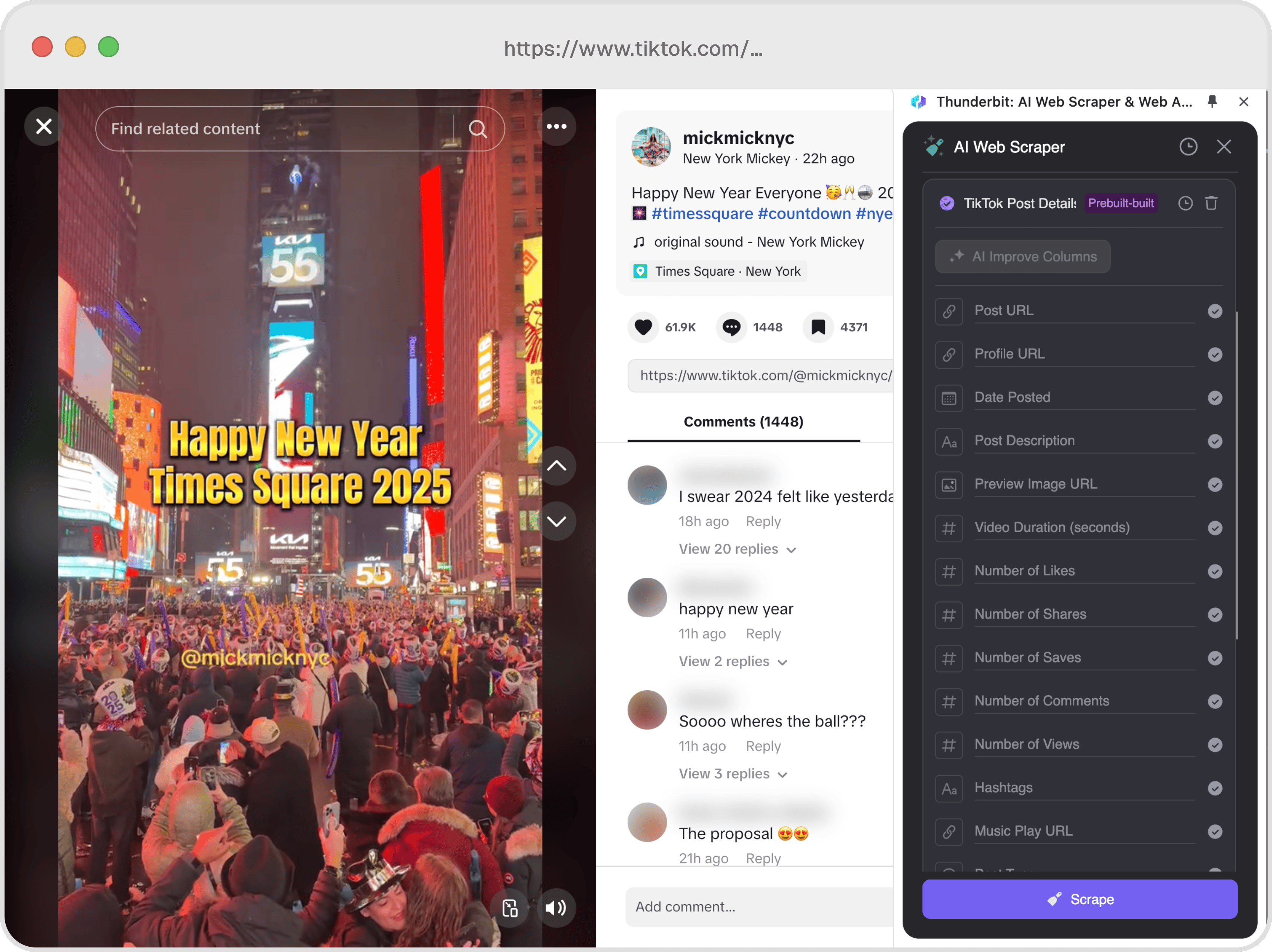
Example output
Each run returns the columns below as rows you can download as CSV or JSON, or send straight to Google Sheets, Notion, or a webhook.
📊 Columns Explanation
🤔 Why Scrape TikTok Videos?
Scraping TikTok videos can be incredibly beneficial for various professionals:
- Marketers: Analyze trends, track brand mentions, and understand audience engagement.
- Content Creators: Gain insights into popular content and optimize your own videos.
- Data Analysts: Collect and analyze data for research or reporting purposes.
- Social Media Managers: Monitor competitors and track performance metrics.
By using the TikTok Video Scraper, you can access a wealth of data to inform your strategies and decisions.
🛠️ How to Use TikTok Video Scraper

- Download and Install: First, download Scrapebit (as a Web App or Chrome Extension) and register an account.
- Navigate to TikTok: Go to the TikTok video page you wish to scrape.
- Activate the Scraper: A popup will appear, prompting you to use the pre-built TikTok Video Scraper template. Click to proceed.
💰 Cost of TikTok Video Scraper
The TikTok Video Scraper operates on a credit system, where each run costs 1 credit. A credit corresponds to one output row.
Note: The pre-built scraper is a paid feature in Scrapebit, but a free trial is available to allow users to scrape TikTok videos 10 times.
🤖 You Can Also Use AI to Scrape TikTok
Scrapebit's AI Web Scraper offers an alternative method to scrape TikTok videos with just two clicks. By using AI, you can benefit from:
- Data Formatting: AI can automatically format and categorize data for easier analysis.
- Flexibility: AI can adapt to changes in TikTok's layout or structure.
- Efficiency: Quickly scrape large volumes of data without manual intervention.
The AI Web Scraper is ideal for users who need a more dynamic and adaptable scraping solution.
❓ FAQ
- What is a pre-built web scraper?
A pre-built web scraper is a ready-to-use tool designed to extract specific data from websites. It simplifies the data collection process by providing a template that users can apply directly to a webpage. This eliminates the need for coding or technical expertise, making data extraction accessible to everyone. - What is Scrapebit?
Scrapebit is a Chrome Extension that empowers users to automate web tasks such as scraping data, filling forms, and summarizing content using AI. It enhances productivity by saving time, reducing manual effort, and providing a seamless experience for both beginners and advanced users. - How does the credit system work?
The credit system in Scrapebit assigns a credit to each output row generated by the scraper. For example, if you scrape data from a TikTok video, one credit will be deducted for the extracted row. Users can purchase credits based on their data extraction needs, ensuring flexibility and scalability. - Can I scrape multiple TikTok videos at once?
Yes, you can scrape multiple TikTok videos by running the scraper on different video pages. Each run will consume one credit. This allows you to gather data from multiple sources efficiently, without any hassle. - Is there a limit to the number of videos I can scrape?
The number of videos you can scrape depends on the credits available in your Scrapebit account. You can purchase additional credits as needed, ensuring you never run out of resources for your data extraction projects. - What data can I extract from TikTok videos?
You can extract various data points, including video URLs, profile links, post descriptions, engagement metrics (likes, comments, shares), hashtags, and more. This comprehensive data can be used for analysis, reporting, or content strategy. - Is the TikTok Video Scraper compatible with all browsers?
The TikTok Video Scraper is designed to work with the Scrapebit Chrome Extension, so it is compatible with the Google Chrome browser. For the best experience, ensure you have the latest version of Chrome installed. - How can I start a free trial with Scrapebit?
To start a free trial, simply download the Scrapebit Chrome Extension from the Chrome Web Store and register an account. Once registered, you will receive free credits to explore the features, scrape TikTok videos, and experience the power of Scrapebit firsthand.
📚 Learn More
To learn more about Scrapebit and its features, visit the Scrapebit Official Website or check out the Scrapebit YouTube Channel for tutorials and tips.
Ready to use this template?
Install the Scrapebit Chrome extension and start scraping in minutes.