
Settour Scraper
Scrapebit's AI-powered Settour Scraper enables you to extract hotel listings and detailed hotel information from Settour in just a few clicks. Perfect for travel professionals and researchers, this tool streamlines data collection for hotel prices, amenities, and more.
Scrapebit’s AI-powered Settour Scraper transforms the way you collect hotel data from Settour. With just a couple of clicks, you can extract structured information on hotel listings, prices, amenities, and detailed descriptions—no coding required. Powered by advanced AI, Scrapebit reads and organizes website content into clean, ready-to-use datasets, making it ideal for travel professionals, researchers, and anyone needing up-to-date hotel data.
🏨 What is Settour Scraper
The Settour Scraper is an AI Web Scraper designed to help you extract hotel search results and detailed hotel information from Settour’s travel platform. By leveraging Scrapebit’s Chrome Extension, you simply navigate to the Settour website, click AI Suggest Columns, and then hit Scrape to instantly generate structured data—no manual copy-pasting or technical setup needed.
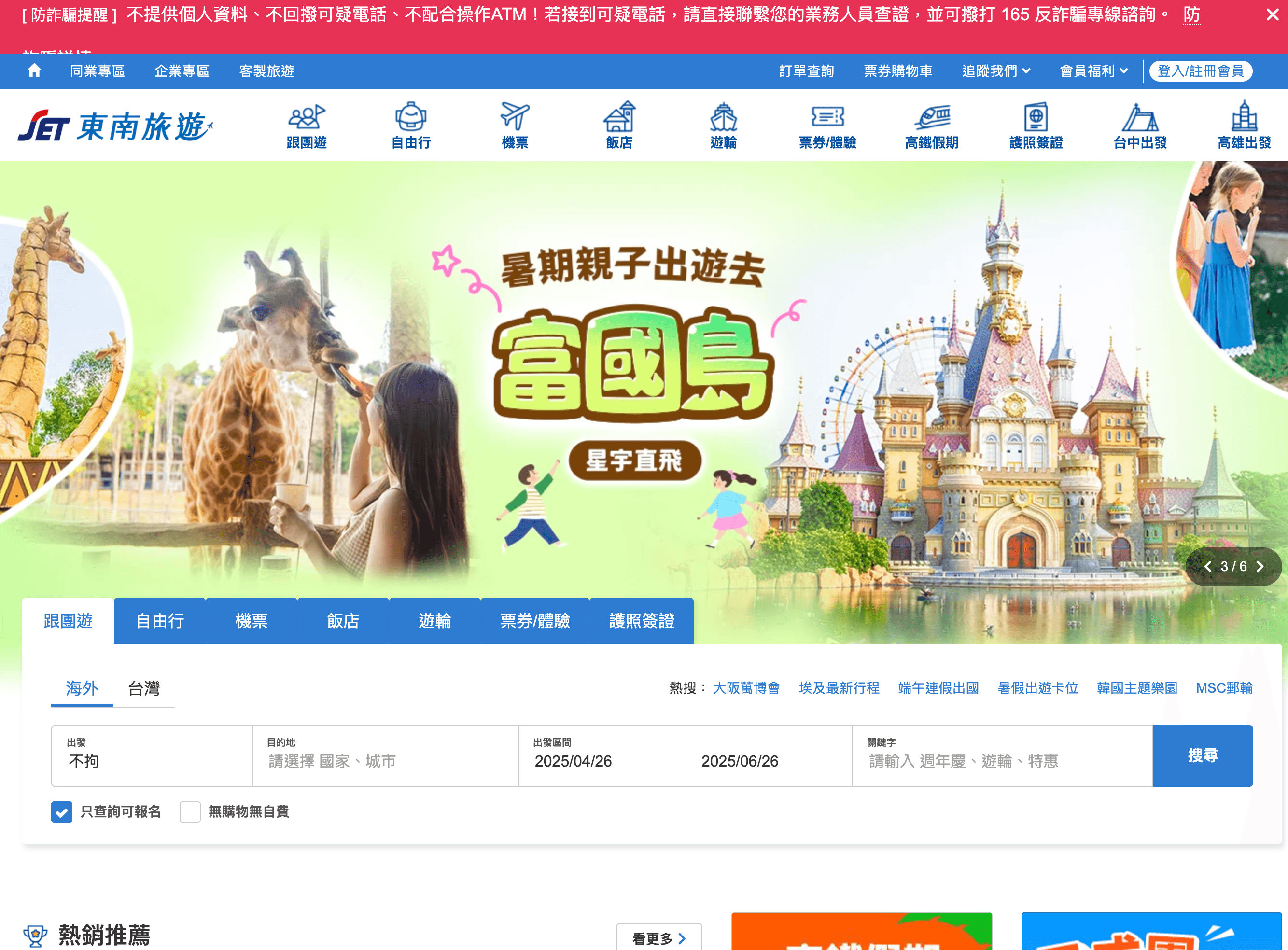
🔍 What can you scrape with Settour Scraper
Scrapebit’s Settour Scraper is perfect for extracting both broad hotel listings and in-depth hotel details. Here’s how you can use it for two common scenarios:
🏨 Scrape Settour Hotel Search Results Page
With the Settour hotel search results page, you can quickly gather a list of hotels, their prices, ratings, and more for any destination and date range.
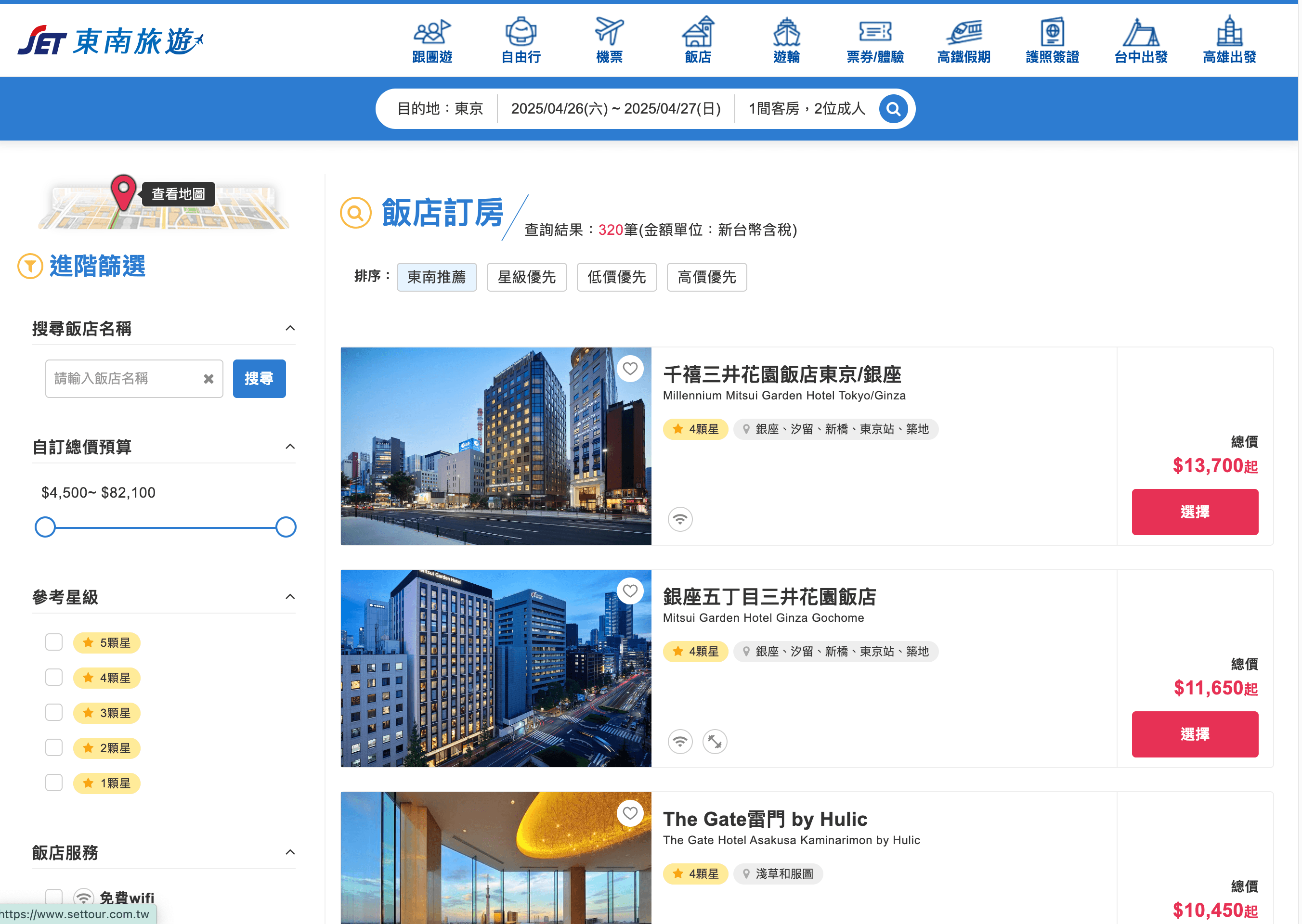
Steps:
- Sign up for Scrapebit — choose any access method: Web App for in-browser scraping, Chrome Extension to scrape any page you visit, or the REST API for automation.
- Go to the Settour hotel search results page.
- Click AI Suggest Columns to let Scrapebit recommend the best columns for your data extraction.
- Click Scrape to run the scraper, get your data, and download the file.
Column names
📝 Scrape Settour Hotel Details Page
For deeper insights, the Settour hotel details page lets you extract comprehensive information about a specific hotel, including amenities, policies, and room features.
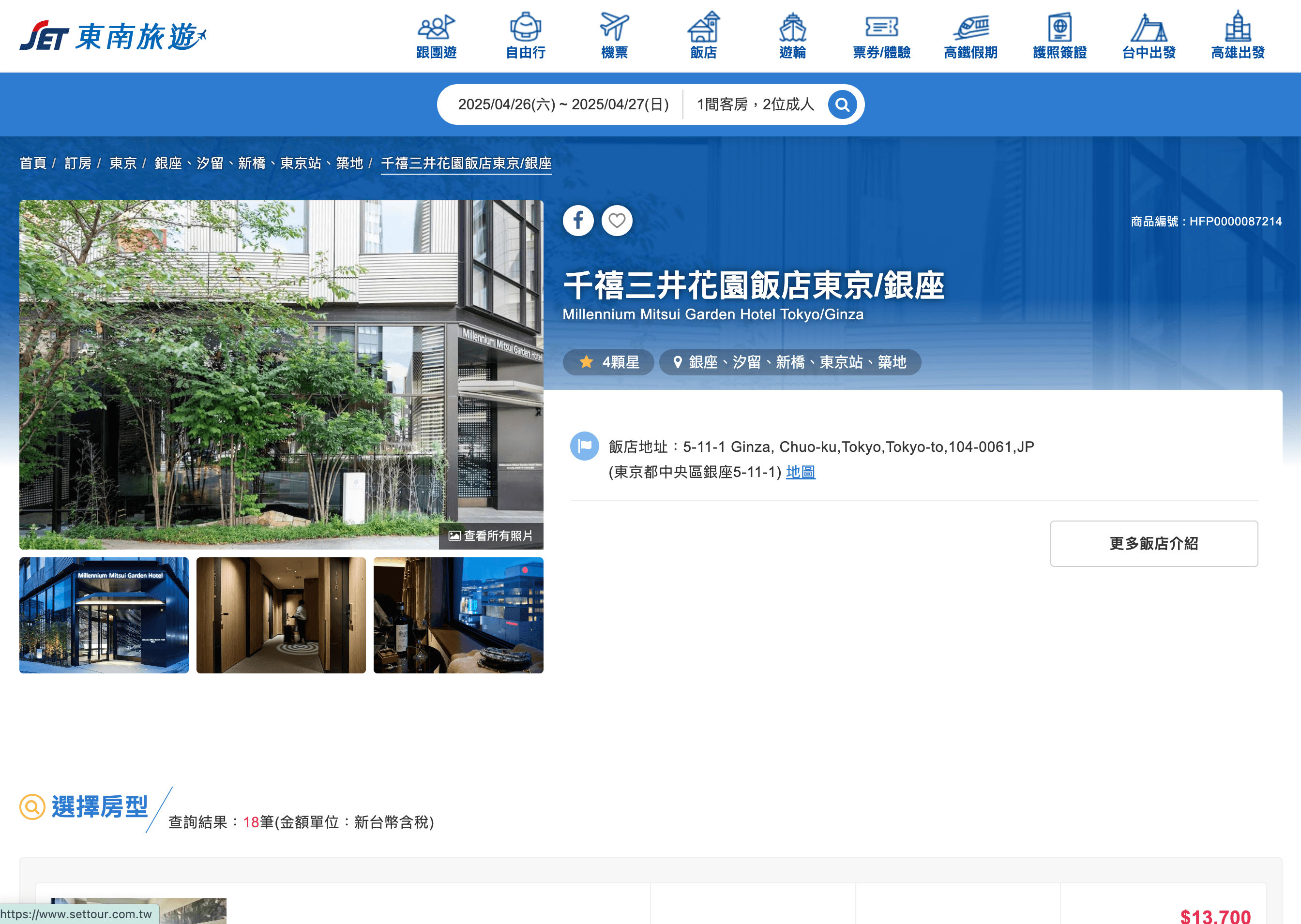
Steps:
- Sign up for Scrapebit — choose any access method: Web App for in-browser scraping, Chrome Extension to scrape any page you visit, or the REST API for automation.
- Go to the Settour hotel details page.
- Click AI Suggest Columns to let Scrapebit’s AI recommend the most relevant data fields.
- Click Scrape to extract the data and download your file.
Column names
💡 Why Use Settour Scraper Tool
Scraping Settour hotel data is valuable for a variety of professionals:
- Travel Agents & Agencies: Quickly compare hotel options, prices, and amenities for clients.
- Market Researchers: Analyze hotel trends, pricing strategies, and customer ratings.
- E-commerce & OTA Teams: Aggregate hotel data for your own travel platforms or apps.
- Academic Researchers: Collect structured datasets for tourism and hospitality studies.
- Frequent Travelers: Build your own hotel comparison sheets for smarter travel planning.
With Scrapebit’s AI-powered approach, you save hours of manual work and avoid errors from copy-pasting, letting you focus on analysis and decision-making.
🧩 How to Use Settour Chrome Extension
- Install the Scrapebit Chrome Extension: Download the extension and register your account.
- Navigate to Settour Hotel Search or Details Page: Go to the search results or hotel details page you want to scrape.
- Activate AI-Powered Scraper: Click AI Suggest Columns to generate column names or customize columns to meet your needs.
For more detailed guides, check out Scrapebit’s blog or see How to Scrape Public Web Pages Using AI.
💵 Pricing for Settour Scraper
Scrapebit uses a credit-based system: 1 credit = 1 output row. The AI-powered scraper is free to try, and you can scrape up to 6 pages per month on the free plan. If you start a free trial, you get 10 pages for free before choosing a paid plan.
Here’s a quick look at the plans:
- Free Plan: Scrape 6 pages per month at no cost.
- Free Trial: Scrape 10 pages for free before upgrading.
- Yearly Plans: Get a significant discount and more credits—ideal for regular users.
For more details, visit the Scrapebit Pricing page.
❓ FAQ
-
What is the AI Powered Settour Scraper?
The AI Powered Settour Scraper is a tool within Scrapebit’s Chrome Extension that lets you extract hotel listings and detailed hotel information from Settour. It uses AI to automatically detect and structure data, so you can download it in a clean, organized format for analysis or reporting.
-
What is Scrapebit?
Scrapebit is an AI web scraping and productivity platform that helps you automate data extraction, form filling, and content summarization on publicly accessible webpages. Its Chrome Extension is designed for business users, researchers, and anyone who wants to save time on repetitive web tasks.
-
How do I get started with the Settour Scraper?
Simply install Scrapebit (as a Web App or Chrome Extension), register for an account, and navigate to the Settour page you want to scrape. Use the AI Suggest Columns feature to let the AI recommend the best data fields, then click Scrape to extract your data.
-
What data can I extract from Settour hotel pages?
You can extract hotel names, prices, ratings, locations, room types, amenities, images, policies, and more. The AI Suggest Columns feature helps you select the most relevant fields for your needs.
-
How many pages can I scrape for free?
On the free plan, you can scrape up to 6 pages per month. If you start a free trial, you can scrape 10 pages for free before deciding if you want to upgrade to a paid plan.
-
What is a credit and how is it used?
A credit represents one output row of data. For example, if you scrape a search results page with 20 hotels, that’s 20 credits. Credits are deducted based on the number of rows you extract.
-
Can I customize the columns I want to scrape?
Yes, Scrapebit’s AI Suggest Columns feature recommends columns, but you can also adjust or add your own columns to tailor the data extraction to your specific needs.
-
Is Scrapebit suitable for non-technical users?
Absolutely. Scrapebit is designed for business professionals, researchers, and anyone who wants to automate web data collection without coding. The interface is intuitive and user-friendly.
-
Where can I learn more about web scraping and Scrapebit’s features?
You can explore the Scrapebit Blog for tutorials and best practices, such as How to Scrape Website Data into Excel using AI and The Best Web Scraping Tools & Software in 2025.
📚 Learn More
- Scrapebit Official Website
- Scrapebit Chrome Extension Download
- Scrapebit Pricing
- Scrapebit Blog
- How to Scrape Public Web Pages Using AI
- How to Scrape Website Data into Excel using AI
- The Best Web Scraping Tools & Software in 2025
- Scrapebit YouTube Channel
With Scrapebit’s AI-powered Settour Scraper, you can collect, analyze, and leverage hotel data from Settour faster and more accurately than ever before. Try it today and see how much time you can save.
Ready to use this template?
Install the Scrapebit Chrome extension and start scraping in minutes.