PitchBook Scraper
The Scrapebit PitchBook Scraper lets you extract structured data from PitchBook company profiles and PE fund rankings in just two clicks. Use AI-powered field suggestions to gather investment data, executive details, and fund performance metrics for business research, lead generation, or CRM enrichment.
The Scrapebit AI-Powered PitchBook Scraper is a Chrome extension that uses advanced AI to transform PitchBook’s company investment profiles and PE fund rankings into structured, downloadable data. With just two clicks, you can extract valuable business intelligence from PitchBook—no coding or manual copy-pasting required.
📊 What is PitchBook Scraper
The PitchBook Scraper by Scrapebit is an AI Web Scraper designed to help you extract data from PitchBook with maximum efficiency. By leveraging Scrapebit’s AI, you simply navigate to the PitchBook page you want to scrape, click AI Suggest Columns to let the AI recommend the best data fields, and then hit Scrape to download your results. This tool is perfect for sales, marketing, investment professionals, and anyone who needs structured data from PitchBook’s extensive database.
🏢 What can you scrape with PitchBook Scraper
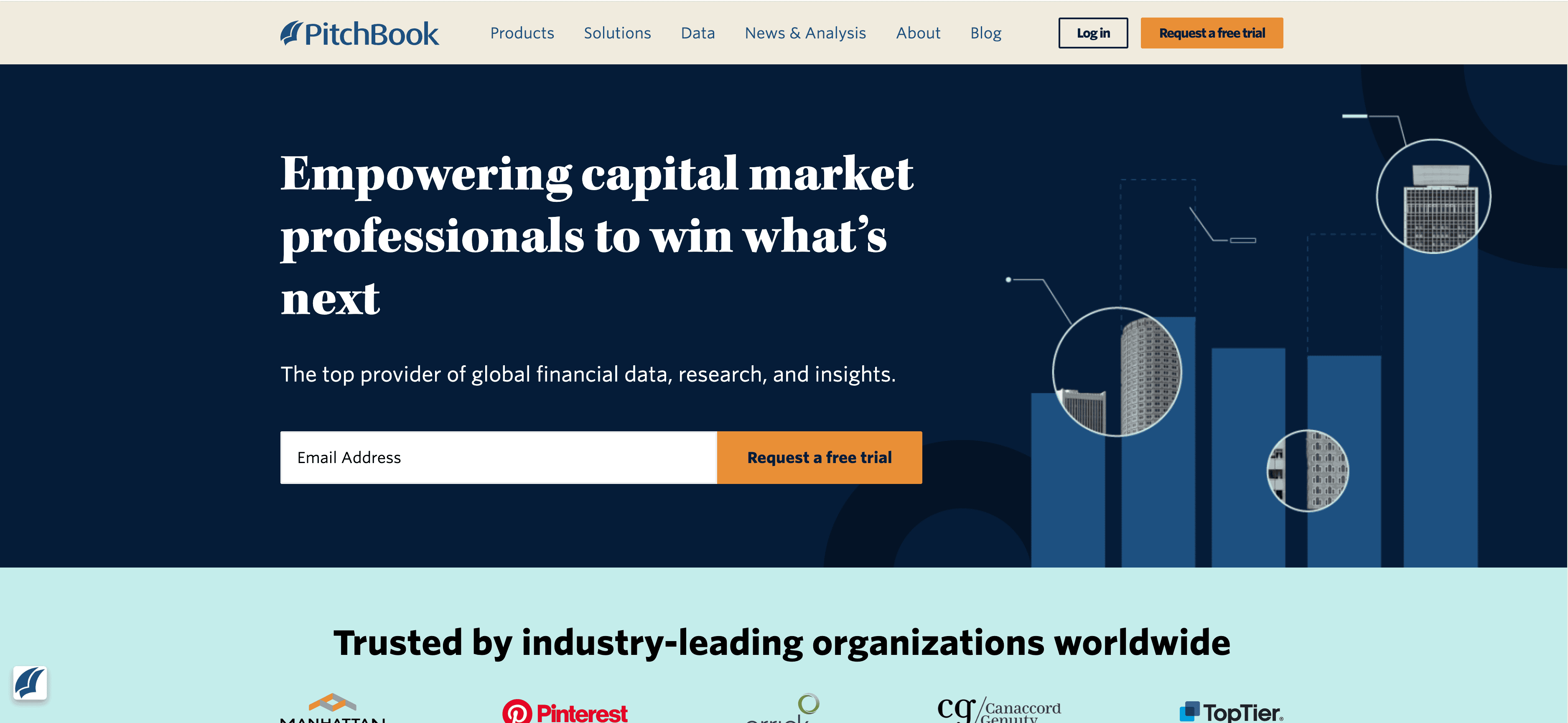
Scrapebit’s PitchBook Scraper is built to handle a variety of PitchBook pages, from detailed company investment profiles to global PE fund rankings. Here’s how you can use it for your business research and lead generation:
💼 Scrape PitchBook Company Investment Profile Page
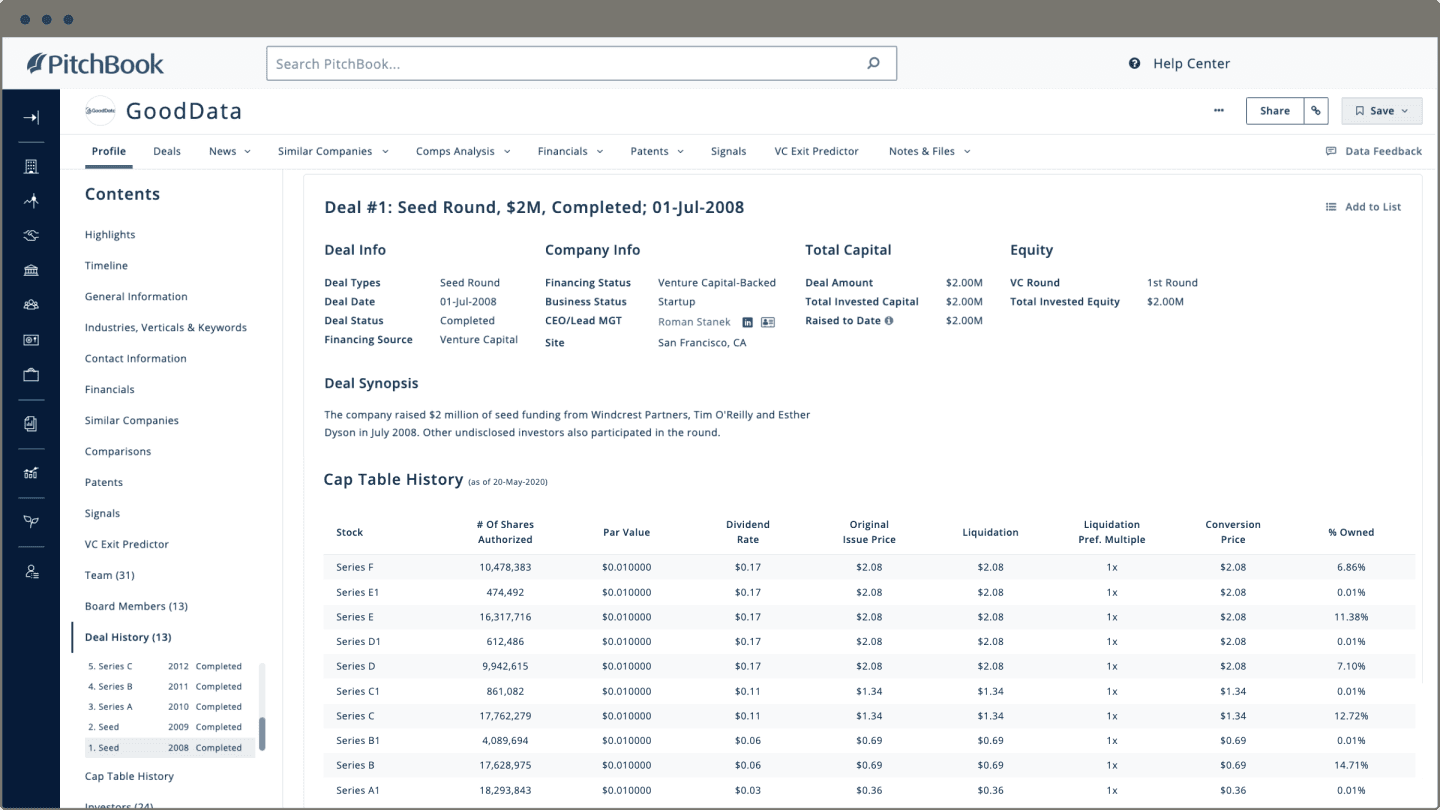
The PitchBook Company Investment Profile Page contains in-depth information about a company’s funding history, investors, key executives, and more. With Scrapebit, you can extract this data for analysis, CRM enrichment, or market research.
Steps:
- Sign up for Scrapebit — choose any access method: Web App for in-browser scraping, Chrome Extension to scrape any page you visit, or the REST API for automation.
- Go to the destination page, for example: PitchBook Company Investment Profile.
- Click AI Suggest Columns, which recommends column names.
- Click Scrape to run the scraper, get data, and download the file.
Column names
🏆 Scrape PitchBook PE Fund Global Rankings Page
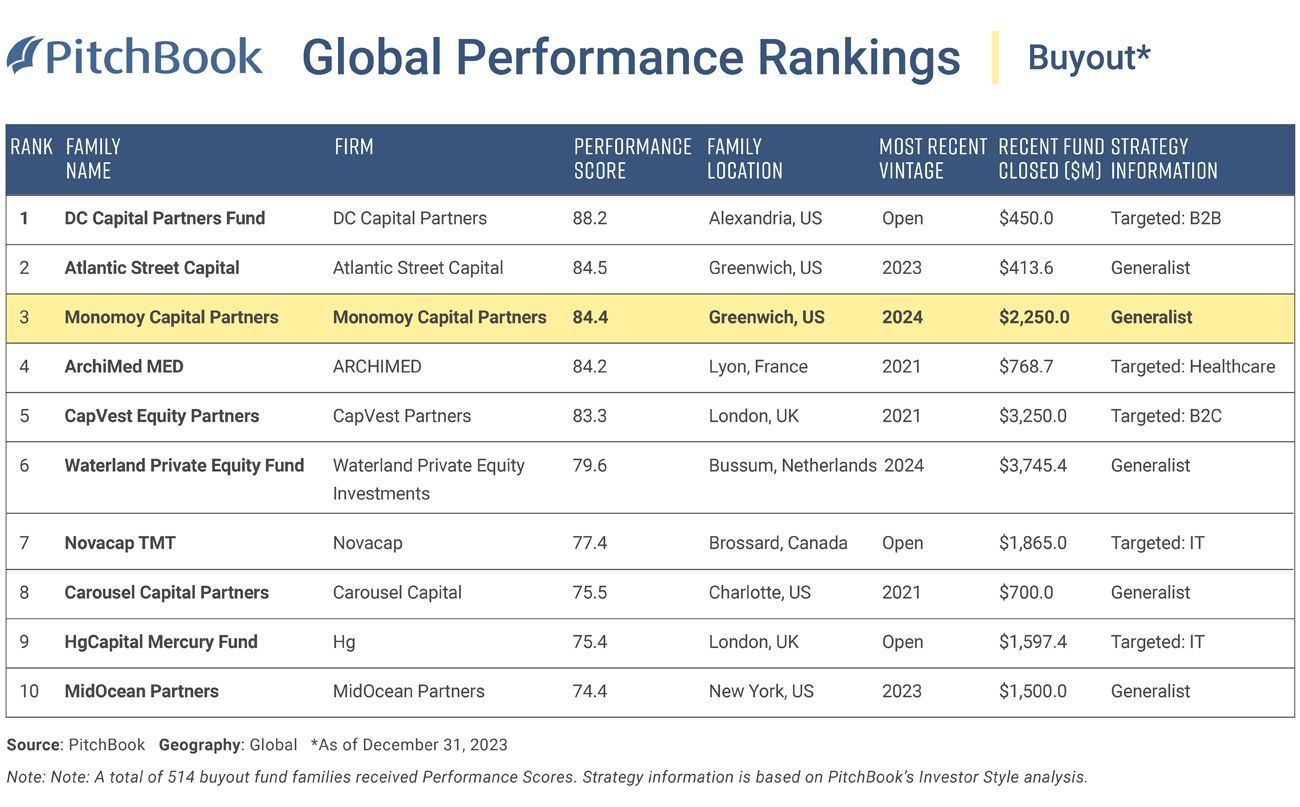
The PitchBook PE Fund Global Rankings Page lists private equity funds, their rankings, performance metrics, and more. This is essential for benchmarking, competitor analysis, and fund research.
Steps:
- Sign up for Scrapebit — choose any access method: Web App for in-browser scraping, Chrome Extension to scrape any page you visit, or the REST API for automation.
- Go to the destination page, for example: PitchBook PE Fund Global Rankings.
- Click AI Suggest Columns, which recommends column names.
- Click Scrape to run the scraper, get data, and download the file.
Column names
💡 Why Use PitchBook Scraper Tool
Extracting data from PitchBook is crucial for:
- Sales & Lead Generation: Build targeted lists of companies, investors, or funds for outreach.
- Market Research: Analyze funding trends, industry benchmarks, and competitive landscapes.
- Investment Analysis: Track portfolio companies, fund performance, and deal flow.
- Consulting & Advisory: Prepare client reports with up-to-date, structured data.
- CRM Enrichment: Automatically update your CRM with the latest company and fund information.
Scrapebit’s AI-powered approach means you don’t need to write code or spend hours copying and pasting—just point, click, and download.
🧩 How to Use PitchBook Chrome Extension
- Install the Scrapebit Chrome Extension: Download Scrapebit (as a Web App or Chrome Extension) and register your account.
- Navigate to PitchBook Company or Fund Page: Go to the PitchBook Company Investment Profile or PE Fund Global Rankings page you want to scrape.
- Activate AI-Powered Scraper: Click AI Suggest Columns to generate column names or customize columns to meet your needs.
For a step-by-step visual guide, check out the Scrapebit YouTube Channel.
💵 Pricing for PitchBook Scraper
Scrapebit uses a credit-based system:
- 1 credit = 1 output row of data.
- Free Plan: Scrape up to 6 pages per month at no cost.
- Free Trial: Scrape up to 10 pages for free when you start your trial.
If you need more, Scrapebit offers flexible monthly and yearly plans. The yearly plan is currently discounted and is the most cost-effective option for regular users.
You can view all pricing details on the Scrapebit Pricing Page.
❓ FAQ
-
What is the AI Powered PitchBook Scraper?
The AI Powered PitchBook Scraper is a Chrome extension that uses artificial intelligence to extract structured data from PitchBook’s company profiles, fund rankings, and more. It automates the process, so you can get the data you need in just a few clicks, without manual effort or technical skills. -
What is Scrapebit?
Scrapebit is an AI-driven productivity tool that helps you automate web scraping, data extraction, and repetitive online tasks. It’s designed for business users, sales teams, marketers, and researchers who need fast, accurate data from any website, including PitchBook. -
How does the credit system work?
Each credit allows you to extract one row of data. For example, if you scrape a list of 100 companies, you’ll use 100 credits. The free plan gives you 6 pages per month, and the free trial lets you scrape 10 pages at no cost. -
Can I customize the columns I want to scrape?
Yes, Scrapebit’s AI Suggest Columns feature recommends the best columns for each page, but you can also adjust or add columns to fit your specific needs before scraping. -
Is it safe and legal to scrape PitchBook?
Scrapebit is designed to respect website terms and privacy. Always ensure your use of scraped data complies with PitchBook’s terms of service and relevant laws. For more on ethical scraping, see What Is Data Scraping and How to Do It in 2025. -
What file formats can I export the data to?
You can download your scraped data as CSV or Excel files, making it easy to import into your CRM, analytics tools, or spreadsheets. -
Who uses the PitchBook Scraper?
The tool is popular with sales teams, investment analysts, consultants, researchers, and anyone who needs structured data from PitchBook for business development, research, or reporting. -
Can I scrape other websites with Scrapebit?
Absolutely. Scrapebit supports scraping from any website, including PDFs and images, using the same AI-powered workflow. Learn more at How to Scrape Any Website Using AI. -
Where can I get support or learn more?
Visit the Scrapebit Blog for tutorials, or check out the Scrapebit YouTube Channel for video guides. For direct support, use the contact form on the Scrapebit Official Website.
📚 Learn More
- What Is Data Scraping and How to Do It in 2025
- How to Scrape Website Data into Excel using AI
- The Best Web Scraping Tools & Software in 2025
- How to Scrape Any Website Using AI
- Scrapebit Blog
Ready to turn PitchBook data into actionable insights?
Download Scrapebit Chrome Extension and start your free trial today.
Ready to use this template?
Install the Scrapebit Chrome extension and start scraping in minutes.