
Naver Travel Scraper
The Scrapebit Naver Travel Scraper lets you extract structured data from Naver Travel, including hotel listings and detailed travel itineraries. Use AI-powered field suggestions to quickly gather hotel names, prices, ratings, reviews, and itinerary details for research, planning, or business analysis.
The Scrapebit AI-Powered Naver Travel Scraper is a smart Chrome extension that lets you extract structured data from Naver Travel in just a couple of clicks. Using advanced AI, Scrapebit reads and organizes hotel listings, travel itineraries, and detailed trip information—making it easy for you to download and analyze travel data for research, business, or personal planning.
🧳 What is Naver Travel Scraper
The Naver Travel Scraper is an AI Web Scraper designed to help you collect data from Naver Travel with minimal effort. By leveraging Scrapebit’s AI, you simply navigate to any Naver Travel page, click AI Suggest Columns to let the AI recommend the best data fields, and then hit Scrape to extract the information you need. This tool is perfect for travel professionals, researchers, and anyone looking to automate the collection of travel-related data.
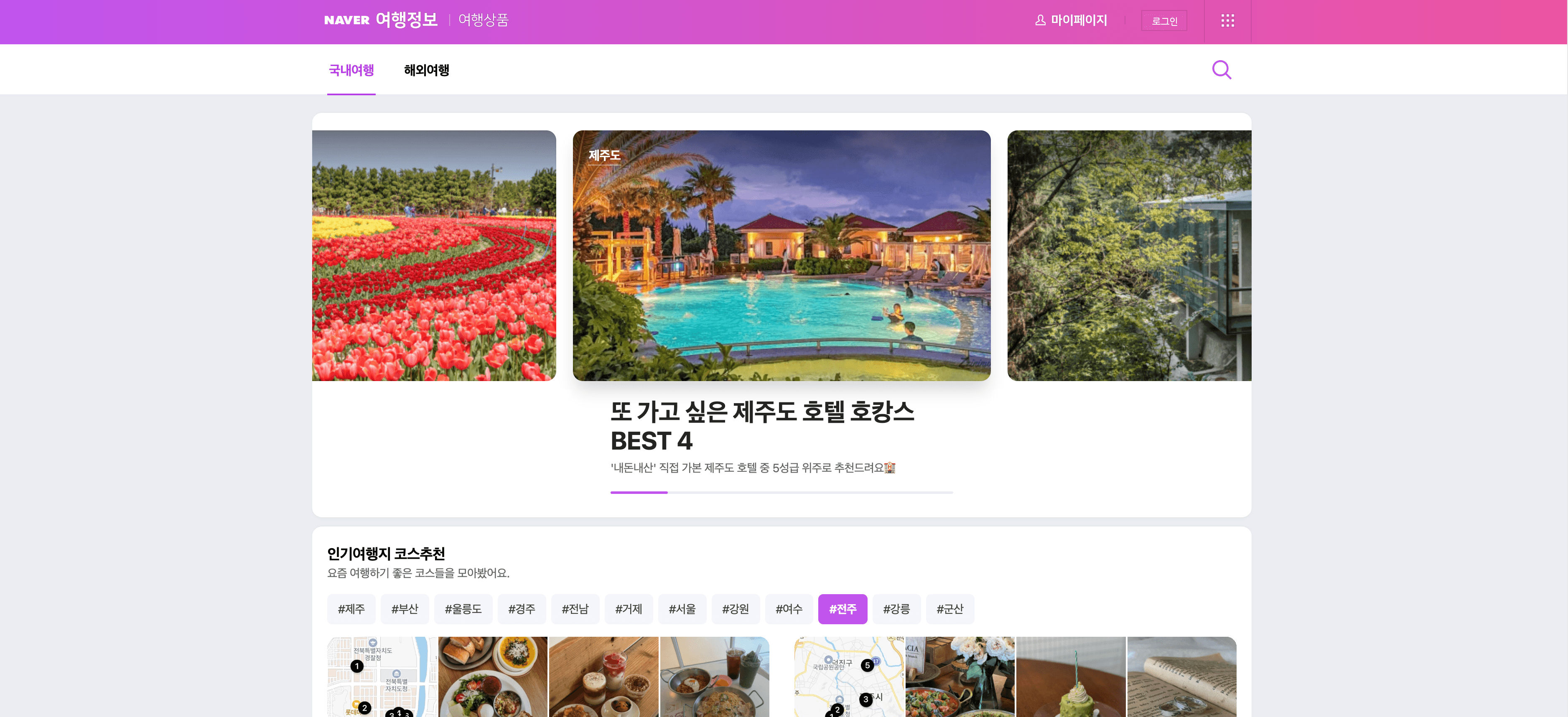
🌏 What can you scrape with Naver Travel Scraper
Scrapebit’s Naver Travel Scraper is built to handle a variety of travel data extraction tasks. Whether you’re looking to analyze hotel listings or gather detailed travel itineraries, Scrapebit’s AI makes the process simple and intuitive.
🏨 Scrape Naver Hotels Listing Page
With the Naver Hotels Listing Scraper, you can extract comprehensive hotel data from Naver Hotels. This is ideal for travel agents, market researchers, or anyone comparing accommodation options.
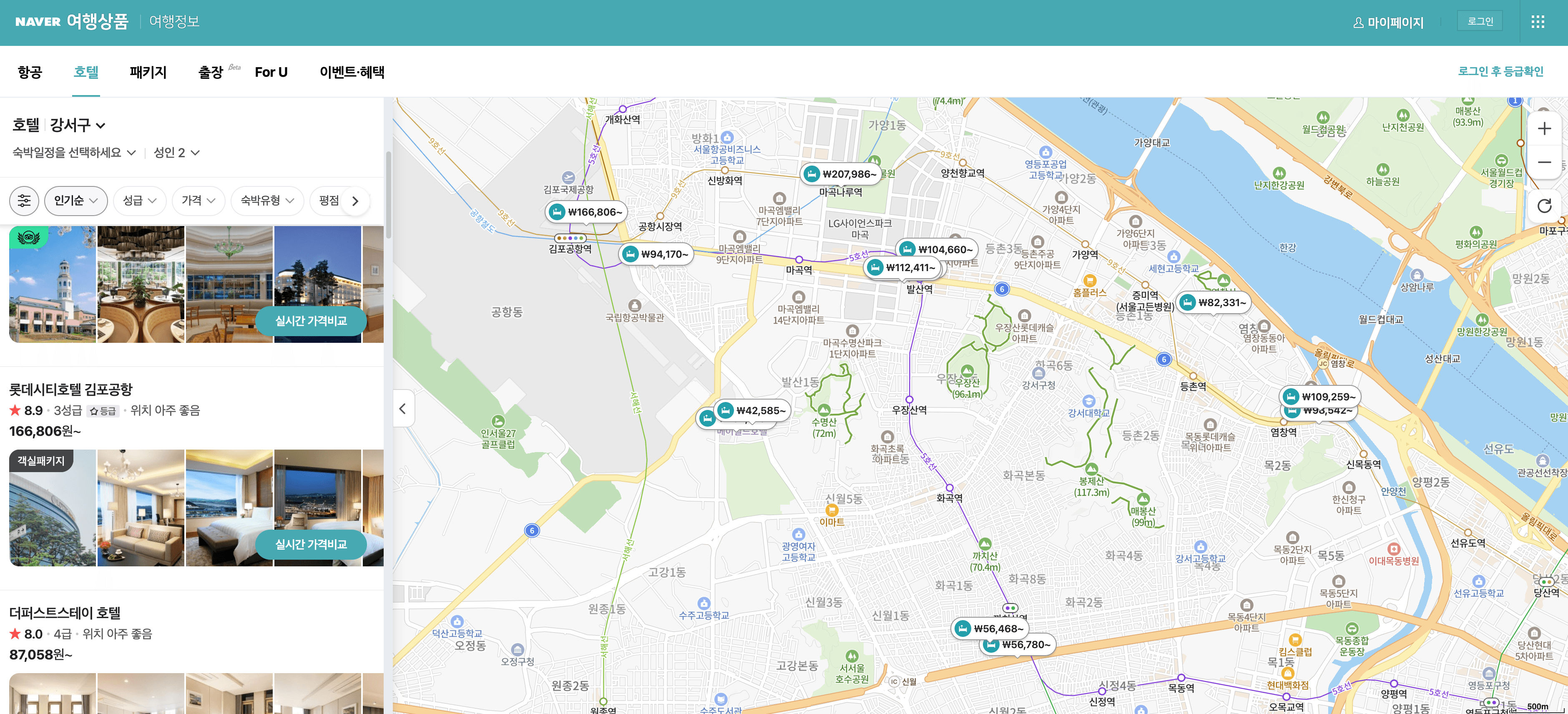
Steps:
- Download Scrapebit (as a Web App or Chrome Extension) and register your account.
- Go to the destination page, for example: Naver Hotels Listing.
- Click AI Suggest Columns, which recommends column names.
- Click Scrape to run the scraper, get data, and download the file.
Column names
🗺️ Scrape Naver Travel AutoCourse Details Page
The Naver Travel AutoCourse Scraper lets you extract detailed itinerary and travel course information from Naver Travel AutoCourse. This is perfect for travel bloggers, itinerary planners, or anyone researching trip ideas.
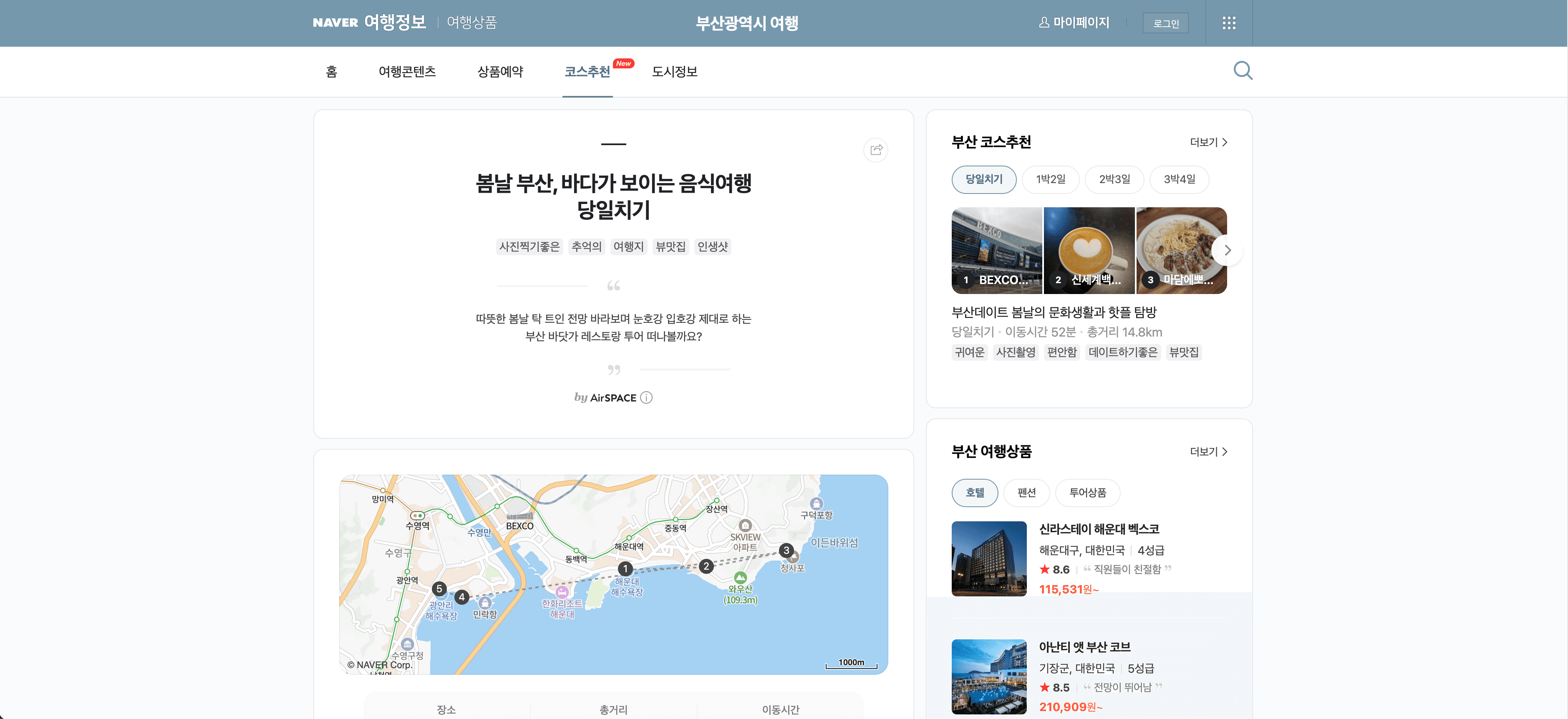
Steps:
- Download Scrapebit (as a Web App or Chrome Extension) and register your account.
- Go to the destination page, for example: Naver Travel AutoCourse Details.
- Click AI Suggest Columns, which recommends column names.
- Click Scrape to run the scraper, get data, and download the file.
Column names
✈️ Why Use Naver Travel Scraper Tool
Scraping Naver Travel data can unlock a wealth of insights for various professionals:
- Travel Agents & Agencies: Quickly compare hotel prices, ratings, and locations to build better packages for clients.
- Market Researchers: Analyze trends in hotel pricing, popularity, and user reviews across regions.
- Travel Bloggers & Influencers: Gather detailed itinerary data to create content or plan trips.
- Academic Researchers: Collect structured travel data for tourism studies or economic analysis.
- E-commerce & Tech Teams: Integrate travel data into apps, dashboards, or booking platforms.
By automating data extraction, you save hours of manual work and ensure your datasets are accurate and up-to-date.
🛠️ How to Use Naver Travel Chrome Extension
- Install the Scrapebit Chrome Extension: Download Scrapebit (as a Web App or Chrome Extension) and register your account.
- Navigate to Naver Hotels or AutoCourse Page: Go to the Naver Hotels Listing or Naver Travel AutoCourse Details page you want to scrape.
- Activate AI-Powered Scraper: Click AI Suggest Columns to let Scrapebit’s AI recommend the best columns, or customize them to fit your needs.
For more detailed guides, check out Scrapebit’s Blog or see specific tutorials like How to Scrape Website Data into Excel using AI.
💰 Pricing for Naver Travel Scraper
Scrapebit uses a credit-based system:
- 1 credit = 1 output row of data.
- Free Plan: Scrape up to 6 pages per month at no cost.
- Free Trial: Scrape up to 10 pages for free when you start a trial.
- Paid Plans: Start at $15/month for 500 credits, with significant discounts on yearly plans (as low as $9/month when billed annually).
Tip: The yearly plan is the most cost-effective, offering the lowest price per credit.
You can always start with the free trial to see if Scrapebit fits your workflow before upgrading.
For more details, visit the Scrapebit Pricing Page.
❓ FAQ
-
What is the AI Powered Naver Travel Scraper?
The AI Powered Naver Travel Scraper is a Chrome extension that uses artificial intelligence to extract structured data from Naver Travel pages. It reads the content, suggests the best columns to scrape, and lets you download the data in a ready-to-use format. -
What is Scrapebit?
Scrapebit is an AI-driven productivity tool that automates web scraping, data extraction, and repetitive online tasks. It’s designed for business users, researchers, and anyone who needs to collect data from the web quickly and accurately. Learn more at the Scrapebit Official Website. -
How do I get started with the Naver Travel Scraper?
Simply install Scrapebit (as a Web App or Chrome Extension), register your account, and navigate to any Naver Travel page. Use the AI Suggest Columns feature to set up your scraper and start extracting data. -
What types of data can I extract from Naver Travel?
You can extract hotel names, prices, ratings, reviews, images, itinerary details, destinations, and more. The AI Suggest Columns feature helps you identify the most relevant data fields for your needs. -
Is there a free version of Scrapebit?
Yes, Scrapebit offers a free plan that allows you to scrape up to 6 pages per month. You can also activate a free trial to scrape up to 10 pages before deciding on a paid plan. -
How does the credit system work?
Each output row of data costs 1 credit. For example, if you scrape a hotel listing page with 20 hotels, it will use 20 credits. Credits are included in all paid plans, and you can choose a plan that fits your data needs. -
Can I customize the columns I want to scrape?
Absolutely. Scrapebit’s AI Suggest Columns feature recommends columns, but you can adjust or add your own to tailor the data extraction to your specific requirements. -
Is Scrapebit secure and compliant?
Scrapebit is designed with user privacy and data security in mind. It only scrapes data you have access to and does not store your personal information. Always ensure your use complies with Naver’s terms and local regulations. -
Where can I find more tutorials or support?
Visit the Scrapebit Blog for in-depth guides, or check out specific articles like How to Scrape Public Web Pages Using AI and The Best Web Scraping Tools & Software in 2025. For direct support, reach out via the Scrapebit website.
📚 Learn More
- Scrapebit Official Website
- Download Scrapebit Chrome Extension
- Scrapebit Blog
- How to Scrape Website Data into Excel using AI
- What Is Data Scraping and How to Do It in 2025
- The Best Web Scraping Tools & Software in 2025
- Scrapebit YouTube Channel
With Scrapebit’s AI-Powered Naver Travel Scraper, you can transform the way you collect and analyze travel data—making your workflow faster, smarter, and more reliable.
Ready to use this template?
Install the Scrapebit Chrome extension and start scraping in minutes.