
メルカリ Scraper
Scrapebit's AI-powered メルカリ scraper lets you extract product listings and detailed item information from Japan's largest marketplace. Scrape product names, prices, seller details, images, and more in just a few clicks, and export your data to Excel, Google Sheets, Airtable, or Notion.
Scrapebit’s AI-powered メルカリ (Mercari) Scraper is the fastest way to extract product listings and detailed item information from Japan’s largest marketplace. With just a few clicks, you can use AI to structure and export data—like product names, prices, seller details, and images—directly to Excel, Google Sheets, Airtable, or Notion.
🛍️ What is メルカリ Scraper
The メルカリ Scraper by Scrapebit is an AI Web Scraper designed to help you collect data from the Mercari marketplace with minimal effort. With Scrapebit — available as a Web App or Chrome Extension —, you simply navigate to any Mercari page, click AI Suggest Columns, and then Scrape to instantly extract structured data. The AI reads the page, identifies relevant fields, and organizes everything for easy export—no coding or manual copy-pasting required.

🔍 What can you scrape with メルカリ Scraper
Scrapebit’s AI-powered scraper is perfect for extracting both product listings and detailed item information from Mercari. Whether you’re tracking prices, monitoring inventory, or analyzing seller activity, Scrapebit makes it simple.
Scrape Mercari Product Listing Page
You can extract all product listings from a Mercari search or category page, including product names, prices, images, and more. This is ideal for market research, price monitoring, or building your own product database.

Steps:
- Download the Scrapebit Chrome Extension and register an account.
- Go to the destination page, for example: Mercari Product Listing Page.
- Click AI Suggest Columns, which recommends column names.
- Click Scrape to run the scraper, get data, and download the file.
Column names
Scrape Mercari Product Details Page
Dive deeper by extracting detailed information from a Mercari product detail page. This is perfect for e-commerce analytics, competitor research, or inventory management.
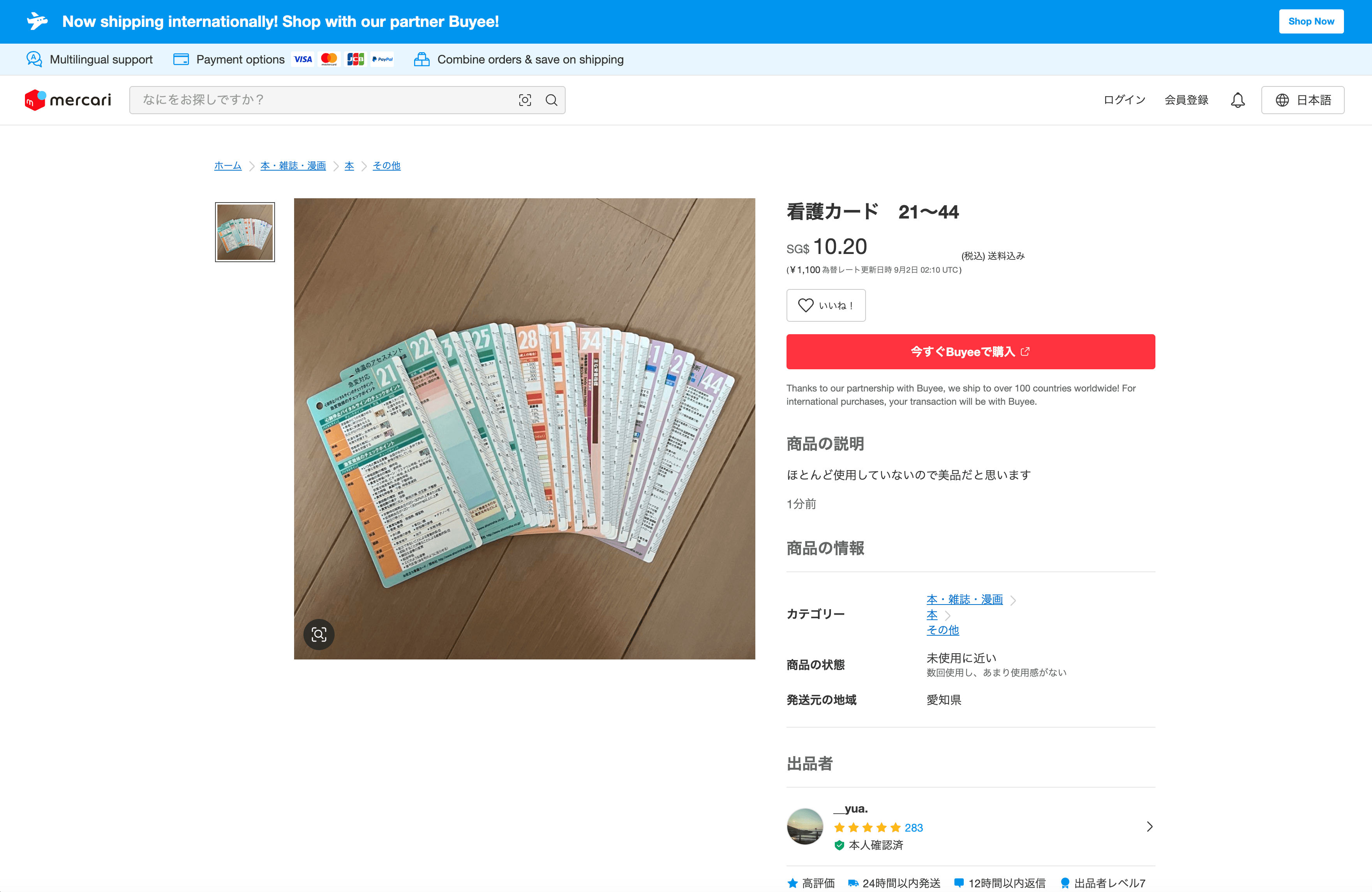
Steps:
- Download the Scrapebit Chrome Extension and register an account.
- Go to the destination page, for example: Mercari Product Details Page.
- Click AI Suggest Columns, which recommends column names.
- Click Scrape to run the scraper, get data, and download the file.
Column names
💡 Why Use メルカリ Scraper Tool
Scraping data from Mercari opens up a world of possibilities for different professionals:
- E-commerce Sellers: Monitor competitor prices, track inventory, and analyze product trends.
- Market Researchers: Collect large datasets for price analysis, demand forecasting, and consumer behavior studies.
- Resellers & Arbitrageurs: Identify profitable products and track market fluctuations.
- Developers & Data Analysts: Build custom dashboards, automate reporting, or feed data into machine learning models.
- Real Estate & Collectibles Experts: Track niche categories, rare items, or regional trends.
Scrapebit’s AI-powered approach means you don’t have to worry about changing page layouts or manual data entry. The AI adapts to the site structure, ensuring accurate and up-to-date data every time.
🧩 How to Use メルカリ Chrome Extension
- Install the Scrapebit Chrome Extension: Download the extension and register your account.
- Navigate to メルカリ Listing or Product Page: Go to any Mercari listing or product detail page.
- Activate AI-Powered Scraper: Click AI Suggest Columns to generate column names or customize columns to meet your needs.
- Click Scrape: Let Scrapebit’s AI extract and structure the data, then export to Excel, Google Sheets, Airtable, or Notion.
For a step-by-step guide, check out How to Scrape Public Web Pages Using AI and How to Scrape Website Data into Excel using AI.
💸 Pricing for メルカリ Scraper
Scrapebit uses a credit-based system:
- 1 credit = 1 output row (e.g., 1 product listing or 1 product detail).
- Free Plan: Scrape up to 6 pages per month at no cost.
- Free Trial: Scrape up to 10 pages for free when you start a trial—no payment required.
- Paid Plans: Start at just $15/month for 500 credits, with significant discounts on yearly plans (as low as $9/month when billed annually).
Tip: The yearly plan offers the best value—perfect for regular users or businesses needing large-scale data extraction.
See full details on the Scrapebit Pricing page.
❓ FAQ
-
What is the AI Powered メルカリ Scraper?
The AI Powered メルカリ Scraper is a tool built into the Scrapebit Chrome Extension that uses artificial intelligence to extract structured data from Mercari’s website. It reads product listings and detail pages, then organizes the information into columns for easy export and analysis. -
What is Scrapebit?
Scrapebit is an AI web scraping platform and Chrome Extension that helps you automate data extraction from publicly accessible webpages. It’s designed for business users, researchers, and anyone who needs to collect web data quickly and accurately—no coding required. Learn more at the Scrapebit Official Website. -
How do I get started with the メルカリ Scraper?
Simply install the Scrapebit Chrome Extension, register for an account, and navigate to any Mercari page. Click AI Suggest Columns and then Scrape to start extracting data. -
What data can I extract from Mercari?
You can extract product names, prices, images, seller information, product condition, categories, shipping details, and more. The AI automatically detects relevant fields, and you can customize columns as needed. -
Can I export the scraped data to Excel or Google Sheets?
Yes, Scrapebit lets you export your data directly to Excel, Google Sheets, Airtable, or Notion. You can also download your data as CSV or JSON files for further analysis. -
Is there a limit to how many pages I can scrape?
On the Free Plan, you can scrape up to 6 pages per month. With a free trial, you get 10 pages. Paid plans offer higher monthly or yearly credit limits, making it easy to scale up as your needs grow. -
Does Scrapebit support subpage and pagination scraping on Mercari?
Absolutely. Scrapebit’s AI can follow links to subpages (like product details) and handle pagination, so you can extract data from multiple pages or entire categories with minimal setup. -
Is it safe and legal to scrape data from Mercari?
Scrapebit is designed to respect website terms and user privacy. Always ensure your use of scraped data complies with Mercari’s terms of service and local regulations. For more on ethical scraping, see What Is Data Scraping and How to Do It in 2025. -
What if the website layout changes?
Scrapebit’s AI adapts to layout changes automatically, so you don’t have to worry about broken scrapers or manual updates. The AI reads the page fresh each time, ensuring your data extraction remains accurate.
📚 Learn More
- Scrapebit Official Website
- Scrapebit Chrome Extension Download
- Scrapebit Blog
- How to Scrape Public Web Pages Using AI
- How to Scrape Website Data into Excel using AI
- The Best Web Scraping Tools & Software in 2025
- The Easiest Way to Scrape Website to Excel
- Scrapebit YouTube Channel
Ready to start scraping Mercari?
Download Scrapebit Chrome Extension and unlock the power of AI-driven data extraction today.
Ready to use this template?
Install the Scrapebit Chrome extension and start scraping in minutes.