
IDCrawl Scraper
Scrapebit's IDCrawl Scraper lets you extract people search results and username details from IDCrawl with AI. Gather names, contact information, and social profiles in just a few clicks for lead generation or research.
Scrapebit’s AI-Powered IDCrawl Scraper transforms how you collect people search and username data from IDCrawl. Using advanced AI, Scrapebit reads the site, structures the information, and lets you export names, contact details, and social profiles in just a couple of clicks—no coding or manual copy-pasting required.
🔍 What is IDCrawl Scraper
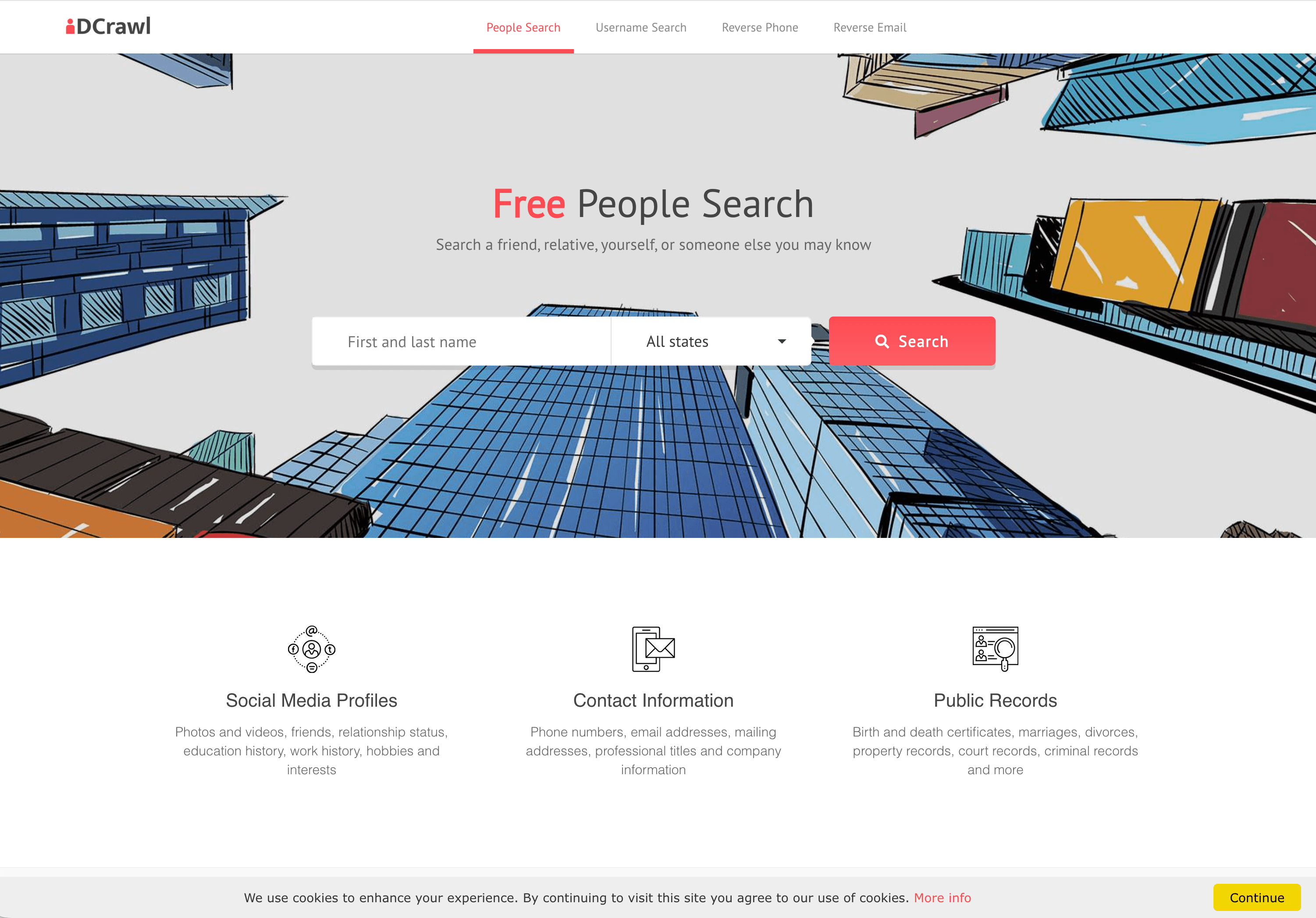
The IDCrawl Scraper is an AI Web Scraper designed to extract structured data from IDCrawl’s Free People Search Engine. With Scrapebit — available as a Web App or Chrome Extension —, you simply visit IDCrawl, click AI Suggest Columns, and then Scrape—the AI does the rest, organizing results into a clean table for download or export to Excel, Google Sheets, Airtable, or Notion.
🧑💼 What can you scrape with IDCrawl Scraper
Scrapebit’s IDCrawl Scraper is perfect for sales, recruiting, research, and anyone needing to gather people or username data at scale. Here’s how you can use it for two main scenarios:
👥 Scrape IDCrawl People Search Results
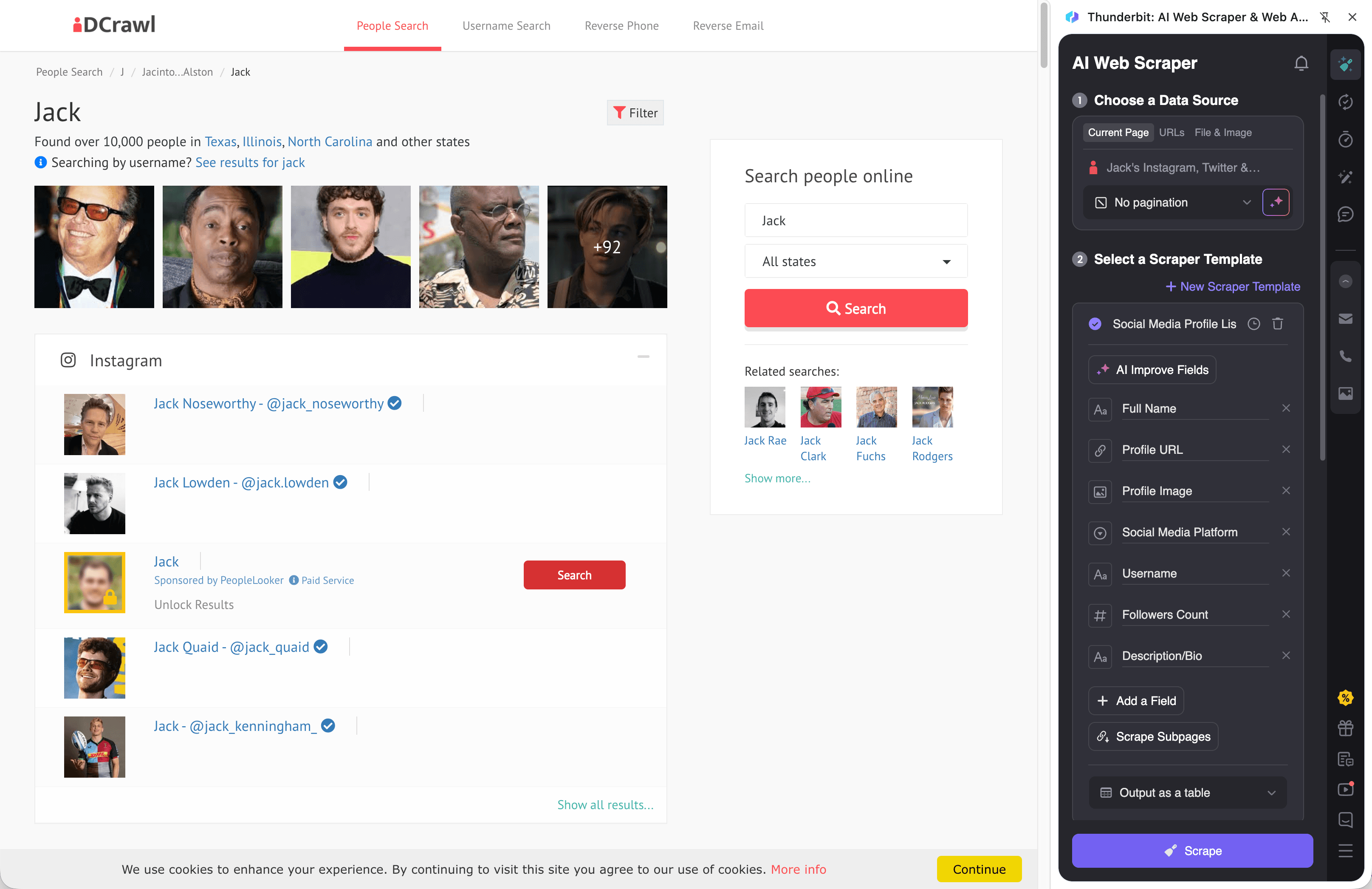
With Scrapebit, you can extract detailed people search results from IDCrawl’s homepage. This is ideal for building lead lists, verifying contact info, or researching social presence.
Steps:
- Download the Scrapebit Chrome Extension and register your account.
- Go to the IDCrawl homepage.
- Click AI Suggest Columns—Scrapebit’s AI will recommend the best columns for your data.
- Click Scrape to run the scraper, then download or export your results.
Column names
🔎 Scrape IDCrawl Username Search Results
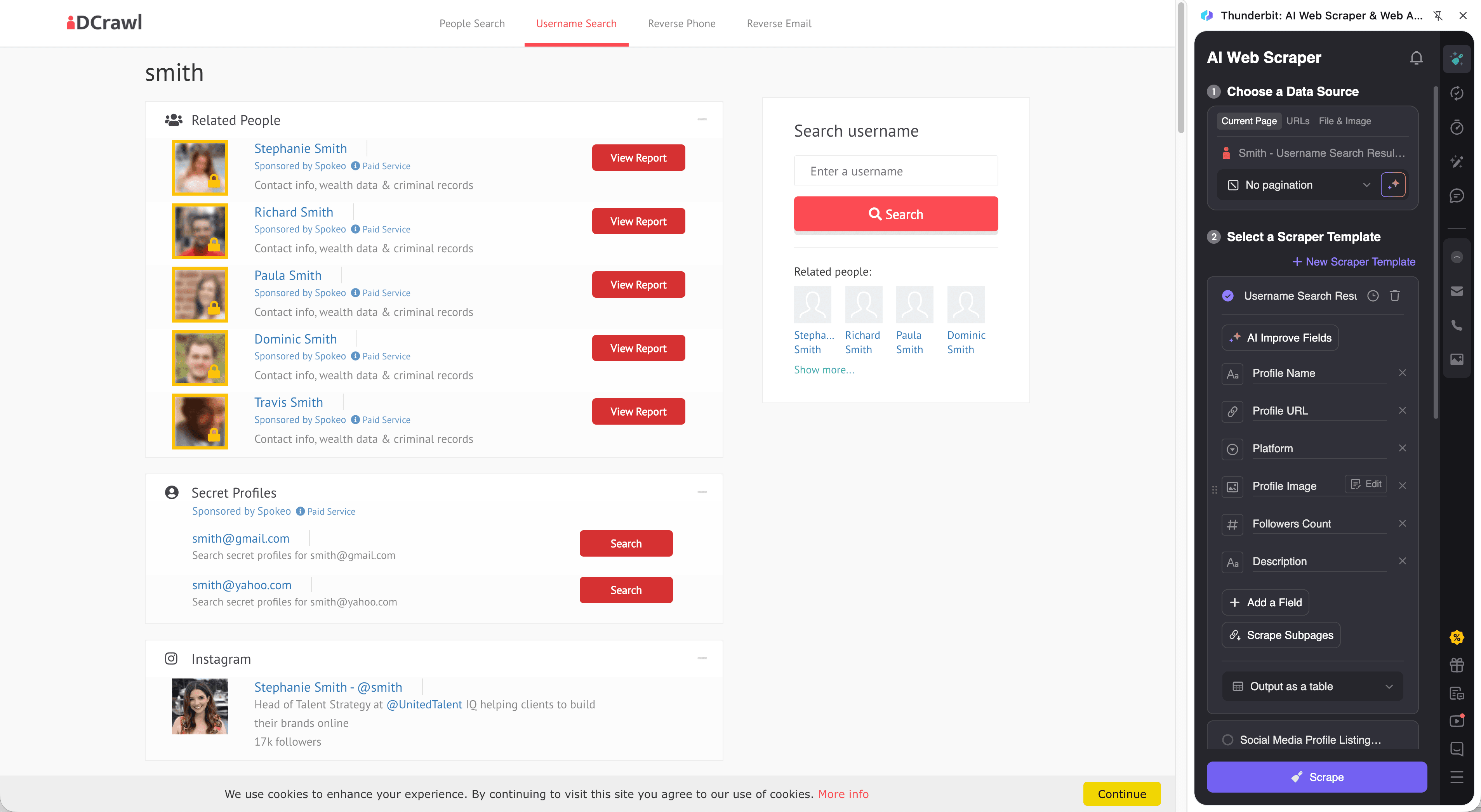
Scrapebit also lets you extract username-based search results from IDCrawl’s Username Search. This is useful for social media research, brand monitoring, or digital investigations.
Steps:
- Download the Scrapebit Chrome Extension and register your account.
- Go to the IDCrawl Username Search page.
- Click AI Suggest Columns to let Scrapebit’s AI recommend the best fields.
- Click Scrape to extract and download your data.
Column names
💡 Why Use IDCrawl Scraper Tool
Scraping IDCrawl with Scrapebit unlocks a world of possibilities for:
- Sales & Lead Generation: Build targeted lists with names, emails, and social profiles for outreach.
- Recruiters: Quickly gather candidate info and verify social presence.
- Researchers & Journalists: Collect public data for investigations or stories.
- Brand & Reputation Monitoring: Track usernames and mentions across platforms.
- Digital Investigators: Map out online identities and connections.
Scrapebit’s AI ensures your data is structured, accurate, and ready for analysis—no more manual copy-paste or broken scripts.
🛠️ How to Use IDCrawl Chrome Extension
- Install the Scrapebit Chrome Extension: Download here and register your account.
- Navigate to IDCrawl’s People or Username Search Page: Go to IDCrawl or IDCrawl Username Search.
- Activate AI-Powered Scraper: Click AI Suggest Column to generate column names or customize columns to meet your needs.
For a step-by-step guide, check out How to Scrape Any Website Using AI and How to Scrape Website Data into Excel using AI.
💲 Pricing for IDCrawl Scraper
Scrapebit uses a credit-based system:
- 1 credit = 1 output row (e.g., 1 person or username result).
- Free Plan: Scrape up to 6 pages per month at no cost.
- Free Trial: Scrape up to 10 pages for free when you start a trial.
Paid plans are flexible and affordable, with yearly plans offering the best value:
- AI-Powered Scraper is included in all plans.
- Export to Excel, Google Sheets, Airtable, or Notion is always free.
- See full pricing details.
❓ FAQ
-
What is the AI Powered IDCrawl Scraper?
The AI Powered IDCrawl Scraper is a tool that uses artificial intelligence to extract structured data from IDCrawl’s people and username search results. It reads the web page, identifies relevant fields, and organizes the data for easy export—no coding or manual work required. -
What is Scrapebit?
Scrapebit is an AI web scraping platform and Chrome Extension that helps you collect, structure, and export data from any website. It’s designed for business users, sales teams, researchers, and anyone who needs to automate web data collection. -
How do credits work in Scrapebit?
Credits represent the number of output rows you can scrape. For example, scraping 100 people search results uses 100 credits. Each plan comes with a monthly or yearly credit allowance, and you can always start with the free plan or trial. -
Can I export scraped IDCrawl data to Excel or Google Sheets?
Yes, Scrapebit lets you export your scraped data directly to Excel, Google Sheets, Airtable, or Notion. You can also download your results as CSV or JSON files, all for free. -
Does Scrapebit support scraping subpages or profiles from IDCrawl?
Absolutely. Scrapebit’s Subpage Scraping feature allows you to visit each profile or subpage linked in the search results and enrich your dataset with additional details, all in a few clicks. -
Is it possible to schedule IDCrawl scraping tasks?
Yes, with Scrapebit’s Scheduled Scraper, you can set up automatic scraping at intervals you define. This is perfect for keeping your lead lists or research data up to date without manual effort. -
What types of data can Scrapebit extract from IDCrawl?
Scrapebit can extract names, emails, phone numbers, usernames, profile URLs, organizations, locations, and profile images. The AI can also help you label, format, and organize the data as you need. -
Is there a limit to how many results I can scrape from IDCrawl?
The number of results you can scrape depends on your plan’s credit allowance. Free users can scrape up to 6 pages per month, while paid plans offer much higher limits. Each output row (person or username) counts as one credit. -
Is Scrapebit safe and legal to use for scraping IDCrawl?
Scrapebit is designed to respect website terms and privacy. Always ensure your use complies with IDCrawl’s terms of service and local regulations. Scrapebit does not store your scraped data and prioritizes user privacy.
📚 Learn More
- Scrapebit Official Website
- Download Scrapebit Chrome Extension
- Scrapebit Blog
- What Is Data Scraping and How to Do It in 2025
- How to Scrape Any Website Using AI
- The Best Email Scrapers in 2025
- How to Scrape Website Data into Excel using AI
- The Best Web Scraping Tools & Software in 2025
- Scrapebit YouTube Channel
Ready to automate your IDCrawl data collection?
Get started with Scrapebit now and experience AI-powered web scraping for lead generation, research, and more.
Ready to use this template?
Install the Scrapebit Chrome extension and start scraping in minutes.