
Good Food Scraper
Scrapebit's Good Food Scraper lets you quickly extract recipe listings and detailed recipe information from Good Food using AI. Save time collecting ingredients, instructions, and nutritional data in just a couple of clicks.
Scrapebit’s AI-Powered Good Food Scraper transforms the way you collect recipes and culinary data from Good Food. With Scrapebit — available as a Web App or Chrome Extension —, you can use AI to structure and extract recipe listings, ingredients, instructions, and nutritional information in just a couple of clicks—no coding or manual copy-pasting required.
🥗 What is Good Food Scraper
The Good Food Scraper is an AI Web Scraper designed to help you extract data from Good Food using artificial intelligence. With Scrapebit, you simply navigate to any recipe or collection page, click AI Suggest Columns, and then hit Scrape to instantly generate structured data. This tool is perfect for food bloggers, nutritionists, meal planners, and anyone who wants to organize or analyze recipes at scale.
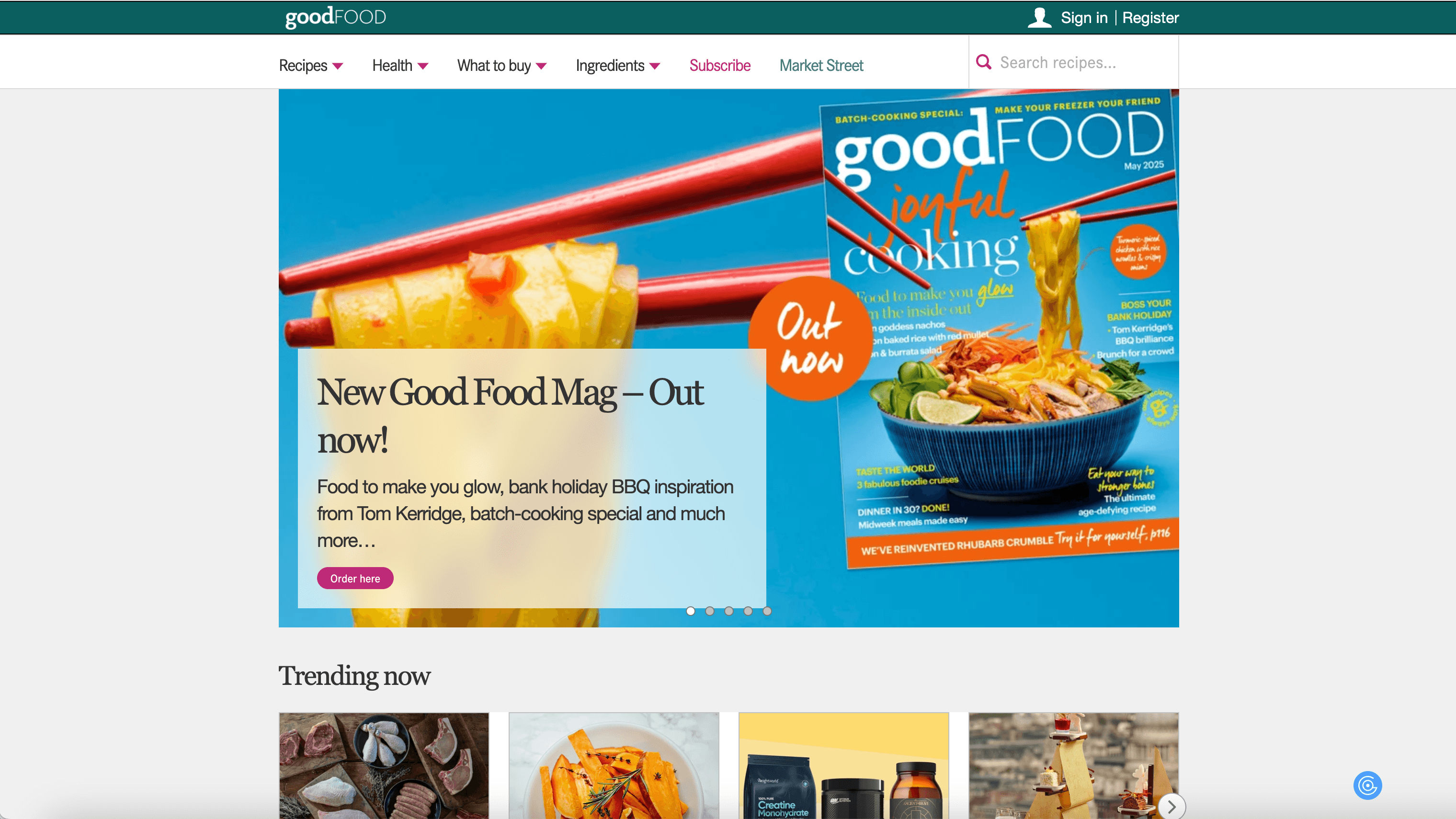
🍽️ What can you scrape with Good Food Scraper
Scrapebit’s Good Food Scraper is built to handle both recipe listings and detailed recipe pages. Whether you want a quick overview of multiple recipes or deep-dive into ingredients and instructions, Scrapebit makes it simple.
Scrape Recipe Listings Page
With the Recipe Listings Page Scraper, you can extract a list of recipes from any Good Food collection, such as air fryer recipes, vegetarian dishes, or desserts. This is ideal for building your own recipe database or conducting culinary research.
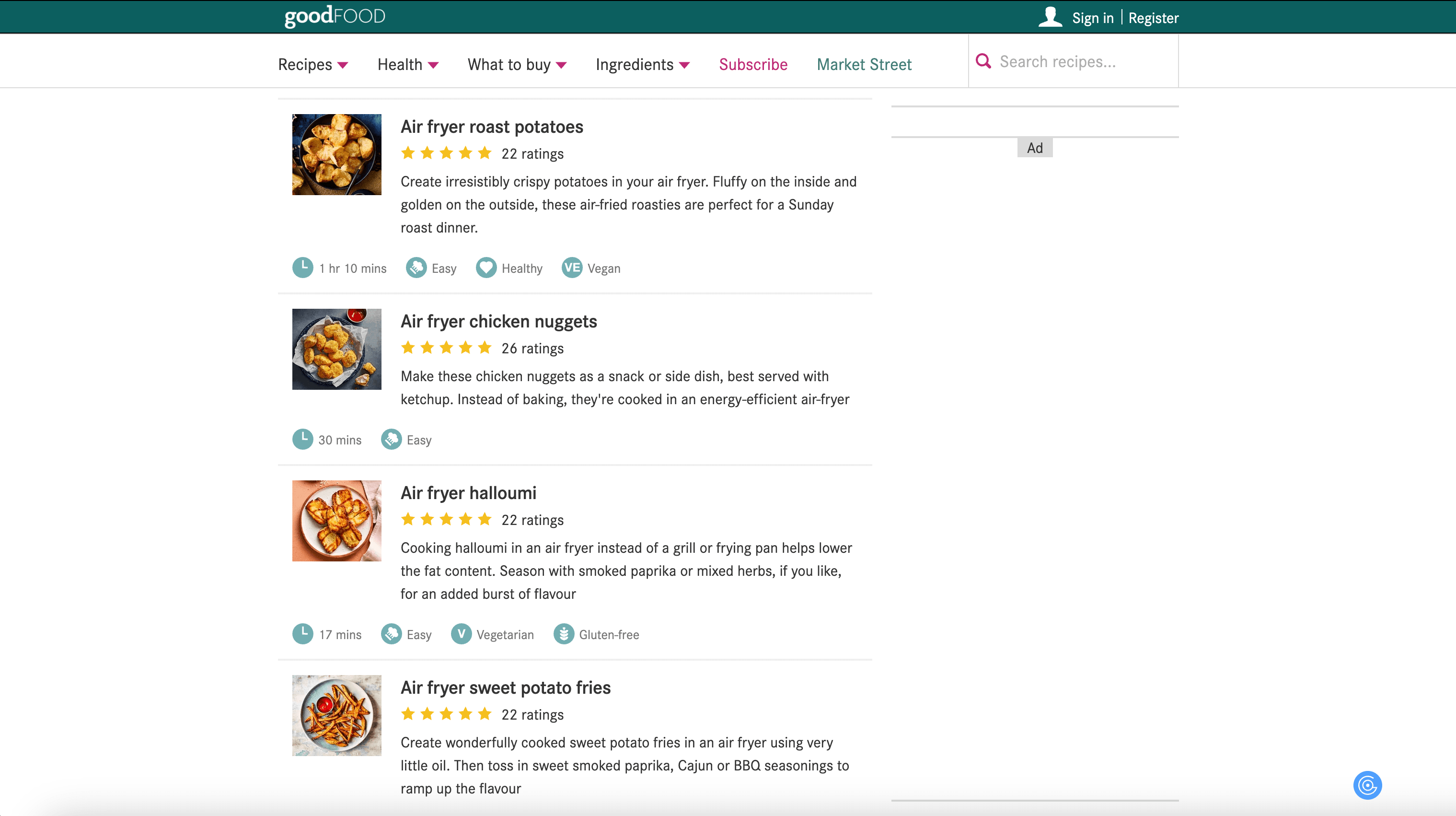
Steps:
- Sign up for Scrapebit — choose any access method: Web App for in-browser scraping, Chrome Extension to scrape any page you visit, or the REST API for automation.
- Go to the destination page, for example: Air Fryer Recipes Collection.
- Click AI Suggest Columns, which recommends column names.
- Click Scrape to run the scraper, get data, and download the file.
Column names
Scrape Recipe Details Page
The Recipe Details Page Scraper lets you extract comprehensive information from any individual recipe page. This includes ingredients, step-by-step instructions, nutrition facts, and more—perfect for meal planning, nutrition analysis, or content curation.
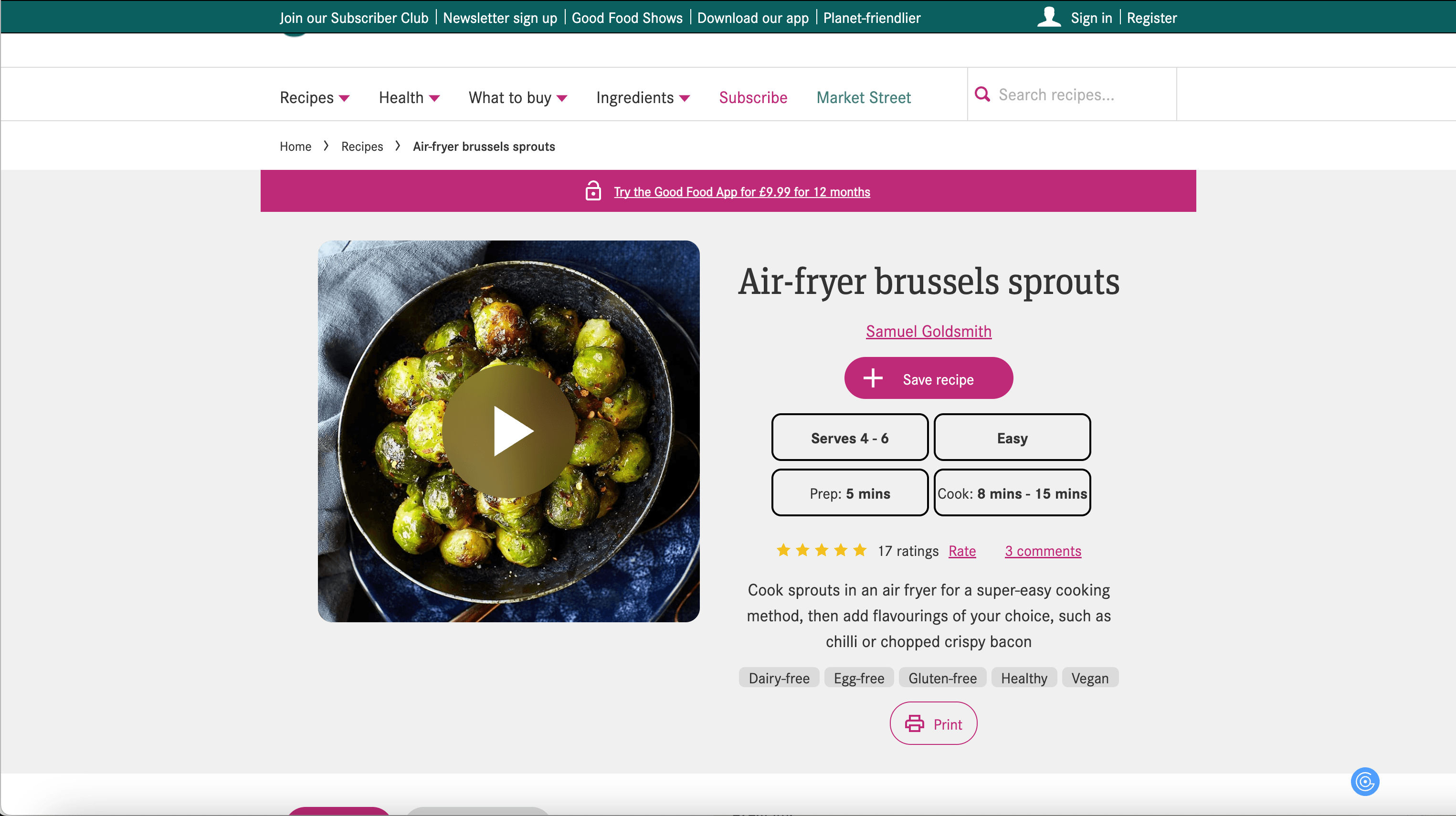
Steps:
- Sign up for Scrapebit — choose any access method: Web App for in-browser scraping, Chrome Extension to scrape any page you visit, or the REST API for automation.
- Go to the destination page, for example: Air Fryer Brussels Sprouts Recipe.
- Click AI Suggest Columns, which recommends column names.
- Click Scrape to run the scraper, get data, and download the file.
Column names
🍴 Why Use Good Food Scraper Tool
Scraping Good Food recipes with Scrapebit unlocks a world of possibilities for:
- Food Bloggers & Content Creators: Quickly gather recipes for inspiration, roundups, or content curation.
- Nutritionists & Dietitians: Collect ingredient lists and nutrition facts for meal planning or dietary analysis.
- Home Cooks & Meal Planners: Build your own searchable recipe database for easy weekly planning.
- Ecommerce & Marketing Teams: Analyze food trends, popular ingredients, or recipe ratings for product development or content marketing.
With Scrapebit’s AI-powered approach, you save hours of manual work and ensure your data is accurate and well-structured.
🧑🍳 How to Use Good Food Chrome Extension
- Install the Scrapebit Chrome Extension: Download Scrapebit (as a Web App or Chrome Extension) and register your account.
- Navigate to Good Food Recipe Listings or Details Page: Go to any Good Food collection or individual recipe page.
- Activate AI-Powered Scraper: Click AI Suggest Columns to let Scrapebit recommend the best columns for your data, or customize columns to fit your needs.
For more tips, check out How to Scrape Website Data into Excel using AI and How to Scrape Public Web Pages Using AI.
💵 Pricing for Good Food Scraper
Scrapebit uses a credit-based system:
- 1 credit = 1 output row (e.g., 1 recipe or 1 ingredient line).
- Free Plan: Scrape up to 6 pages per month at no cost.
- Free Trial: Scrape up to 10 pages for free when you start your trial.
Paid plans are available for higher-volume needs, with both monthly and yearly options. The yearly plan is currently discounted and offers the best value for regular users.
You can always start with the free plan or trial, and upgrade as your needs grow. For more details, visit the Scrapebit Pricing page.
❓ FAQ
-
What is the AI Powered Good Food Scraper?
The AI Powered Good Food Scraper is a tool that uses artificial intelligence to extract recipe data from Good Food’s website. It structures the data into columns like recipe name, ingredients, instructions, and nutrition facts, making it easy to analyze or export. -
What is Scrapebit?
Scrapebit is an AI web scraping platform and Chrome Extension that helps you automate data extraction from publicly accessible webpages. It’s designed for business users, marketers, researchers, and anyone who wants to save time collecting web data. -
How do I get started with the Good Food Scraper?
Simply install Scrapebit (as a Web App or Chrome Extension), register for an account, and navigate to any Good Food recipe or collection page. Use the AI Suggest Columns feature to set up your scraper in seconds. -
What data can I extract from Good Food?
You can extract recipe names, URLs, images, prep and cook times, servings, ratings, ingredients, instructions, and nutrition facts. The AI Suggest Columns feature helps you select the most relevant data for your needs. -
Is there a limit to how many recipes I can scrape?
On the free plan, you can scrape up to 6 pages per month. With the free trial, you get 10 pages. Paid plans offer higher monthly or yearly credit limits, so you can scale up as needed. -
What is a credit and how is it used?
A credit is used for each output row generated by the scraper. For example, scraping a recipe listing with 20 recipes would use 20 credits. This system helps you manage your usage and costs effectively. -
Can I customize the columns I want to scrape?
Yes, Scrapebit’s AI Suggest Columns feature recommends columns, but you can always adjust or add your own to fit your project requirements. -
Is it legal to scrape Good Food recipes?
Scraping publicly available data for personal or research use is generally allowed, but you should always review Good Food’s terms of service and use the data responsibly. For commercial use, consult legal guidance. -
Where can I learn more about web scraping and Scrapebit?
Visit the Scrapebit Blog for guides like What Is Data Scraping and How to Do It in 2025, How to Scrape Website Data into Excel using AI, and The Best Web Scraping Tools & Software in 2025.
📚 Learn More
- Scrapebit Official Website
- Scrapebit Chrome Extension Download Page
- Scrapebit Pricing
- Scrapebit Blog
- How to Scrape Public Web Pages Using AI
- How to Scrape Website Data into Excel using AI
- Scrapebit YouTube Channel
With Scrapebit, you can turn Good Food’s rich recipe content into actionable, organized data—making your culinary projects smarter and more efficient.
Ready to use this template?
Install the Scrapebit Chrome extension and start scraping in minutes.