
Glassdoor Company Scraper
The Glassdoor Company Scraper by Scrapebit extracts essential company data such as ratings, size, revenue, and reviews from Glassdoor company pages. Ideal for job seekers, researchers, and analysts, this tool delivers structured insights to support informed decision-making.
The Glassdoor Company Scraper extracts key data like ratings, size, and revenue from Glassdoor’s company pages. Perfect for job seekers, researchers, and analysts, it delivers structured insights for better decisions.
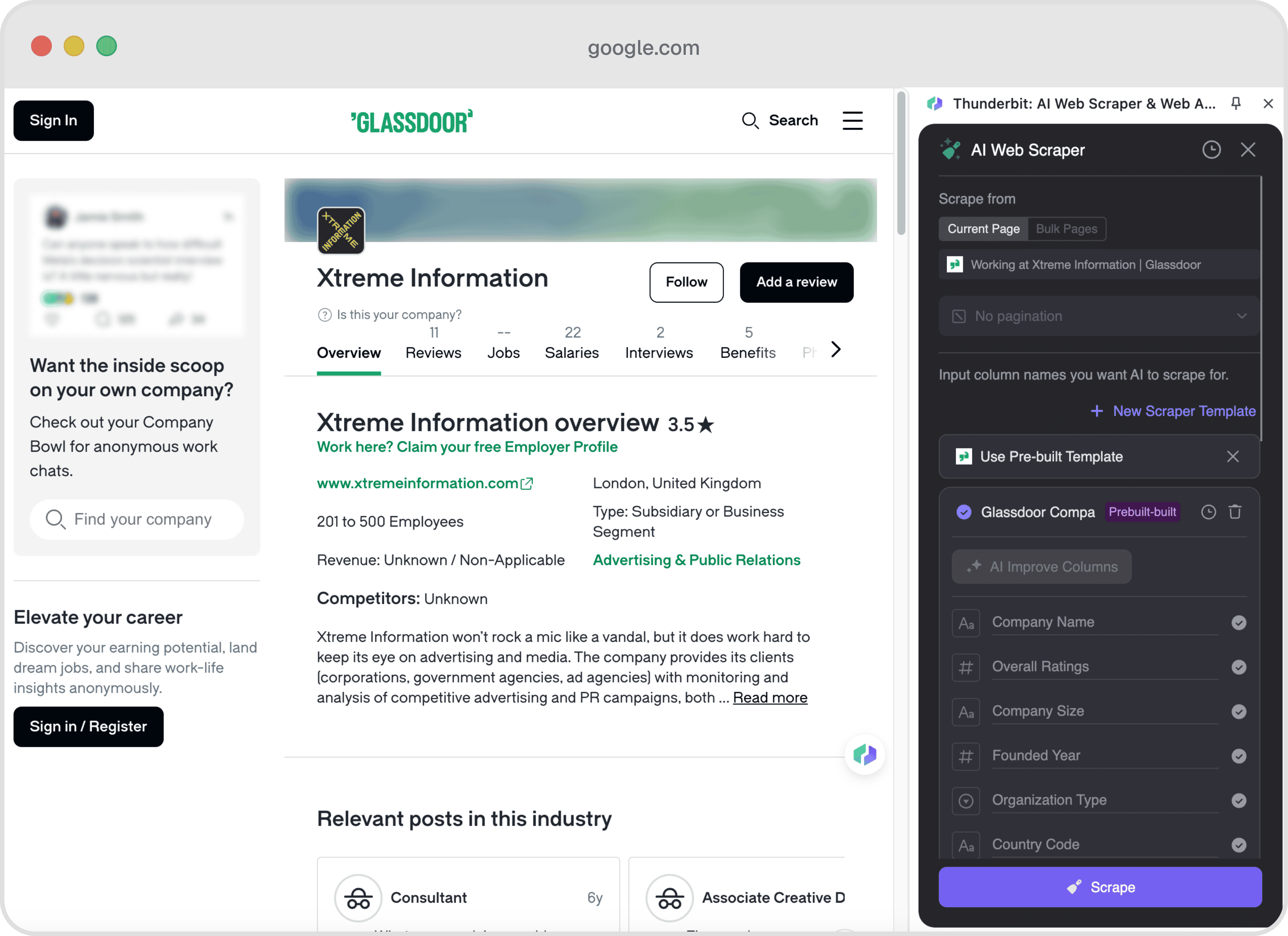
Example output
Each run returns the columns below as rows you can download as CSV or JSON, or send straight to Google Sheets, Notion, or a webhook.
📊 Columns Explanation
🤔 Why Scrape Glassdoor?
Scraping Glassdoor can provide invaluable insights for various professionals:
- Job Seekers: Understand company culture, compensation, and career opportunities before applying.
- Market Researchers: Analyze industry trends and company performance metrics.
- Business Analysts: Evaluate competitors and identify potential business opportunities.
- HR Professionals: Benchmark company ratings and employee satisfaction against industry standards.
🛠️ How to Use Glassdoor Company Scraper

- Sign up for Scrapebit — choose any access method: Web App for in-browser scraping, Chrome Extension to scrape any page you visit, or the REST API for automation.
- Navigate to the Glassdoor Company Overview Page: Visit a company's overview page on Glassdoor, such as this example.
- Activate the Pre-built Scraper: A popup will appear, prompting you to use the pre-built template. Click to start scraping.
💲 Cost of Glassdoor Company Scraper
The Glassdoor Company Scraper operates on a credit system, where each run costs 1 credit. A credit corresponds to one output row. The pre-built scraper is a paid feature, but you can start a free trial to scrape up to 10 pages at no cost.
🤖 You Can Also Use AI to Scrape Glassdoor
With Scrapebit's AI Web Scraper, you can scrape Glassdoor in just two clicks. Simply click "AI Suggest Columns," and the AI will automatically configure the scraper for you. This method offers advantages such as customizable data formatting and categorization, making it ideal for users who need tailored data extraction.
❓ FAQ
- What is a pre-built web scraper?
A pre-built web scraper is a ready-to-use tool designed to extract specific data from a website without requiring custom configuration. It simplifies the data extraction process by providing a template that users can activate with minimal setup. - What is Scrapebit?
Scrapebit is a Chrome Extension that enhances productivity by automating web tasks such as data scraping, form filling, and website summarization using AI. It is designed to save time and streamline repetitive online activities. - How does the credit system work in Scrapebit?
Scrapebit uses a credit system where each credit corresponds to one output row. Users can purchase credits based on their data extraction needs, with various pricing tiers available. - Is the Glassdoor Company Scraper suitable for large-scale data extraction?
Yes, the Glassdoor Company Scraper is designed to handle large volumes of data, making it suitable for extensive market research and analysis. - What types of data can I extract from Glassdoor using this scraper?
You can extract a wide range of data, including company ratings, size, revenue, CEO approval, and more, providing a comprehensive overview of a company's profile. - How secure is the data extraction process with Scrapebit?
Scrapebit prioritizes user security and ensures that all data extraction processes comply with privacy regulations and best practices. - Can I customize the data extraction process with Scrapebit?
Yes, Scrapebit's AI Web Scraper allows for customization, enabling users to tailor the data extraction process to their specific needs.
📚 Learn More
For more information on Scrapebit's features and pricing, visit the Scrapebit Official Website or check out the Scrapebit YouTube Channel for tutorials and demonstrations.
Ready to use this template?
Install the Scrapebit Chrome extension and start scraping in minutes.