
G Adventures Scraper
The Scrapebit G Adventures Scraper lets you extract tour listings, travel styles, prices, and destination details from the G Adventures website. Use AI-powered field suggestions to quickly gather structured travel data for analysis, research, or content creation. Ideal for travel professionals, bloggers, and researchers.
The Scrapebit AI-Powered G Adventures Scraper is a smart Chrome extension that uses artificial intelligence to transform G Adventures tour listings and travel details into structured, downloadable data. With just a couple of clicks, you can extract trip information, destination highlights, and travel style options directly from G Adventures—all without any coding or manual copy-pasting.
🌍 What is G Adventures Scraper
The G Adventures Scraper is an AI Web Scraper designed to help you collect data from the G Adventures website. Powered by Scrapebit’s advanced AI, this tool reads the content of G Adventures’ pages and automatically suggests the best columns for your data extraction. All you need to do is visit the G Adventures site, click AI Suggest Columns, and then hit Scrape to get your data in a structured format.
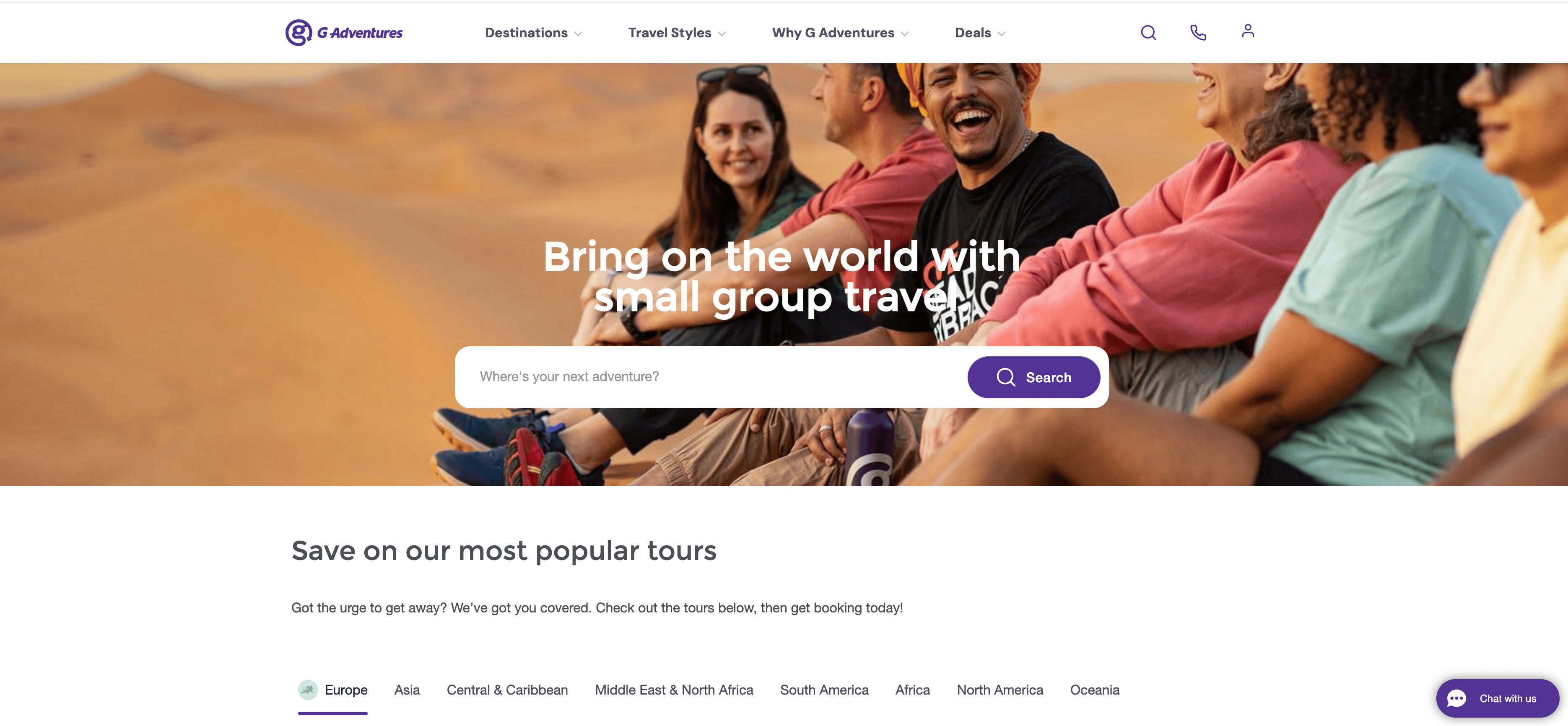
✈️ What can you scrape with G Adventures Scraper
With Scrapebit’s G Adventures Scraper, you can extract a wide range of travel data—perfect for travel agents, bloggers, researchers, or anyone looking to analyze tour options and travel trends. Here’s how you can use it for two popular use cases:
🗺️ Scrape G Adventures Destination Result Page
The Destination Result Page lets you gather all available tours for a specific region or country, such as Europe. This is ideal for comparing trip options, prices, and highlights across multiple destinations.
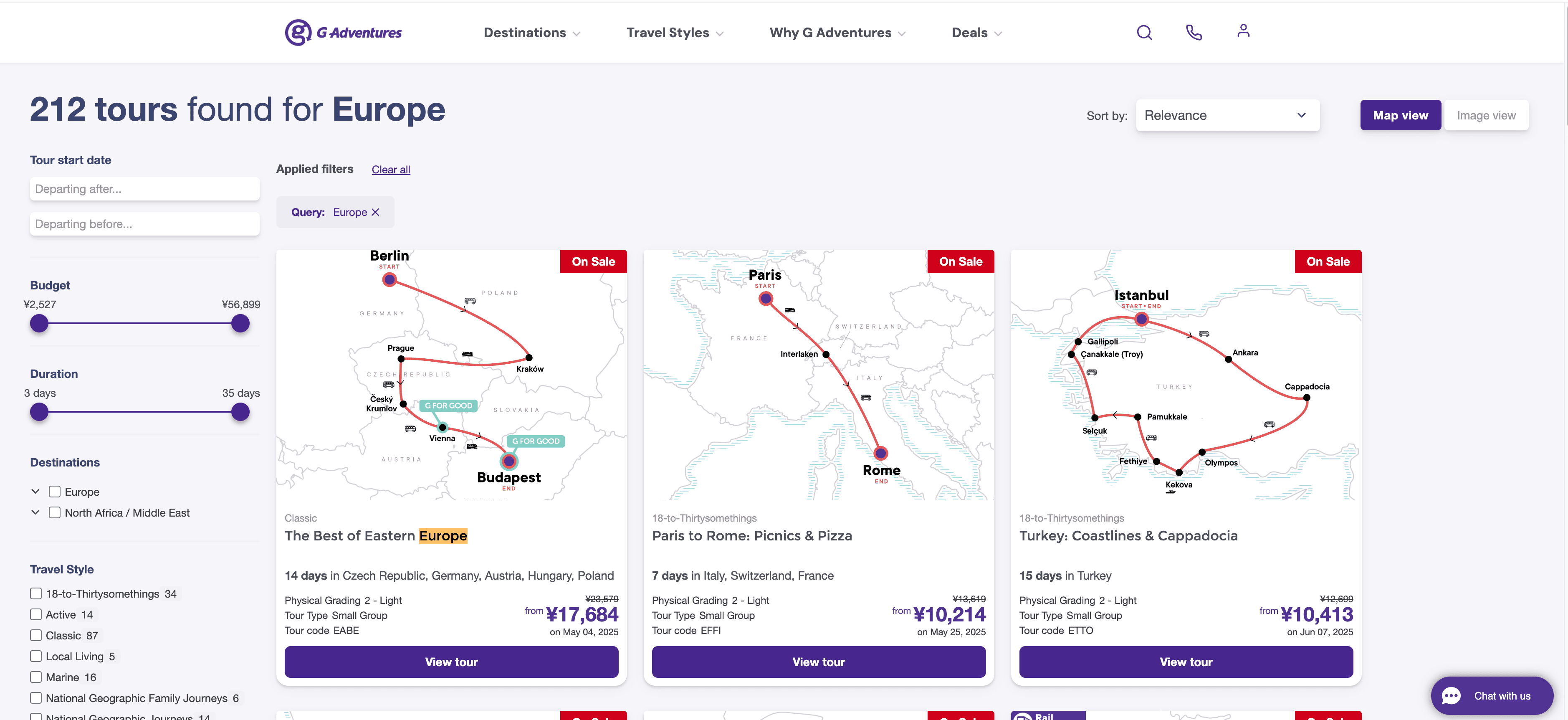
Steps:
- Sign up for Scrapebit — choose any access method: Web App for in-browser scraping, Chrome Extension to scrape any page you visit, or the REST API for automation.
- Go to the destination page, for example: G Adventures Europe Search Results.
- Click AI Suggest Columns, which recommends column names.
- Click Scrape to run the scraper, get data, and download the file.
Column names
🧳 Scrape G Adventures Travel Styles Result Page
The Travel Styles Result Page allows you to extract tours based on specific travel styles, such as “Solo-ish” adventures. This is useful for segmenting trips by traveler type, activity level, or group size.
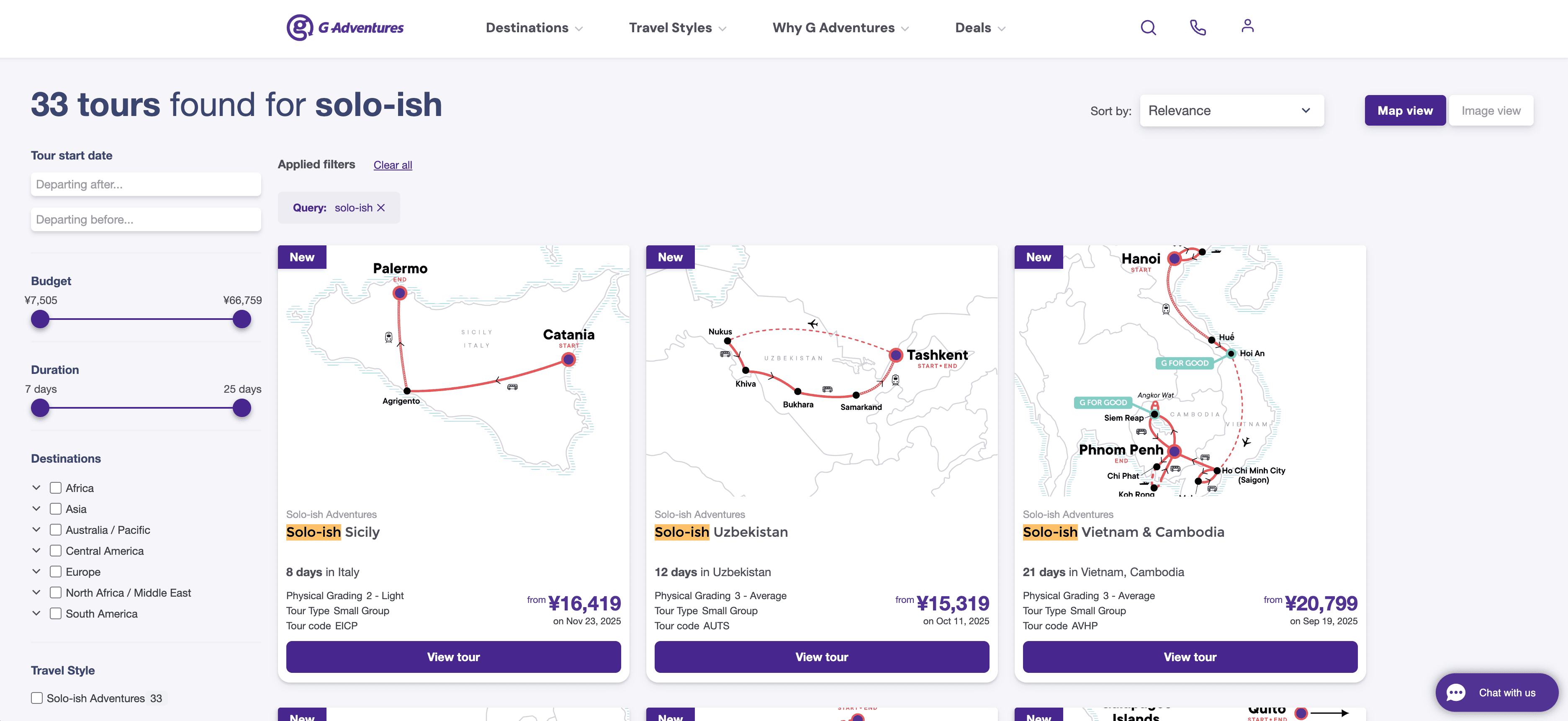
Steps:
- Sign up for Scrapebit — choose any access method: Web App for in-browser scraping, Chrome Extension to scrape any page you visit, or the REST API for automation.
- Go to the travel style page, for example: G Adventures Solo-ish Search Results.
- Click AI Suggest Columns, which recommends column names.
- Click Scrape to run the scraper, get data, and download the file.
Column names
🚀 Why Use G Adventures Scraper Tool
Scraping G Adventures data can help you:
- Compare tour options across destinations and travel styles.
- Monitor pricing trends for budget planning or competitive analysis.
- Build custom travel databases for agencies, bloggers, or research projects.
- Automate repetitive research for travel content creation or itinerary planning.
Travel professionals can quickly analyze market offerings, while bloggers and influencers can curate lists of recommended trips. Researchers can study travel trends, and ecommerce teams can enrich their travel product catalogs.
For more on how AI web scraping can boost your productivity, check out Scrapebit’s blog on scraping publicly accessible webpages using AI.
🛠️ How to Use G Adventures Chrome Extension
- Install the Scrapebit Chrome Extension: Download the extension and register your account.
- Navigate to G Adventures Destination or Travel Style Page: Go to the Europe search results or Solo-ish travel style page.
- Activate AI-Powered Scraper: Click AI Suggest Column to generate column names or customize columns to meet your needs.
For a step-by-step guide, visit How to Scrape Website Data into Excel using AI.
💵 Pricing for G Adventures Scraper
Scrapebit uses a credit-based system:
- 1 credit = 1 output row of data.
- Free plan: Scrape up to 6 pages per month.
- Free trial: Scrape up to 10 pages for free when you start your trial.
Paid plans are available for higher-volume needs, with both monthly and yearly options. The yearly plan is currently discounted and offers the best value for frequent users.
You can review all options on the Scrapebit Pricing page.
❓ FAQ
-
What is the AI Powered G Adventures Scraper?
The AI Powered G Adventures Scraper is a Chrome extension that uses artificial intelligence to extract structured data from G Adventures’ website. It reads the content of tour listings and travel style pages, then automatically suggests the best columns for your data export, making the process fast and accurate. -
What is Scrapebit?
Scrapebit is an AI-driven Chrome extension that simplifies web scraping, data extraction, and automation. It’s designed for business users, marketers, researchers, and anyone who needs to collect data from websites without coding. Scrapebit also offers features like autofill, summarization, and more. -
How do I get started with the G Adventures Scraper?
Simply install Scrapebit (as a Web App or Chrome Extension), register your account, and navigate to the G Adventures page you want to scrape. Use the AI Suggest Columns feature to set up your data extraction, then click Scrape. -
What data can I extract from G Adventures?
You can extract tour names, destinations, prices, durations, descriptions, travel styles, URLs, and images. The AI will recommend columns based on the page you’re viewing, and you can further customize them as needed. -
How many pages can I scrape for free?
On the free plan, you can scrape up to 6 pages per month. If you start a free trial, you can scrape up to 10 pages before needing to upgrade to a paid plan. -
What is a credit and how is it used?
A credit represents one output row of data. For example, if you scrape a page with 20 tour listings, you’ll use 20 credits. Credits are included in all paid plans, and you can choose a plan based on your expected usage. -
Can I customize the columns before scraping?
Yes, Scrapebit’s AI Suggest Columns feature recommends columns, but you can add, remove, or rename columns to fit your specific needs before running the scraper. -
Is it legal to scrape data from G Adventures?
Scraping publicly available data for personal or business analysis is generally allowed, but you should always review G Adventures’ terms of service and ensure compliance with relevant laws and ethical guidelines. -
Where can I learn more about web scraping and Scrapebit’s features?
Visit the Scrapebit Blog for tutorials, tips, and best practices. Some helpful articles include What Is Data Scraping and How to Do It in 2025, How to Scrape Public Web Pages Using AI, and The Best Web Scraping Tools & Software in 2025.
📚 Learn More
- Scrapebit Official Website
- Download Scrapebit Chrome Extension
- Scrapebit Pricing
- Scrapebit Blog
- How to Scrape Website Data into Excel using AI
- What Is List Crawling and How to Do It Using AI
- Scrapebit YouTube Channel
Ready to turn G Adventures travel data into actionable insights? Try Scrapebit’s AI-Powered G Adventures Scraper today and see how easy data extraction can be.
Ready to use this template?
Install the Scrapebit Chrome extension and start scraping in minutes.