
Corendon Scraper
Scrapebit AI-Powered Corendon Scraper lets you extract structured travel data from Corendon’s website, including flights and cruises, using artificial intelligence. You can quickly gather details like schedules, prices, itineraries, and booking links for analysis, comparison, or business use—no coding required. This tool is ideal for travel agents, market researchers, data analysts, and anyone needing organized Corendon travel data.
The Scrapebit AI-Powered Corendon Scraper is a smart web scraping tool designed to extract structured travel data from Corendon using artificial intelligence. With Scrapebit, you can quickly turn flight and cruise listings into organized datasets—just navigate to your target page, let AI suggest the columns, and download your results in a couple of clicks.
✈️ What is Corendon Scraper
The Corendon Scraper is an AI Web Scraper that enables you to extract data from Corendon’s travel website with minimal effort. Powered by Scrapebit, this Chrome Extension uses AI to analyze the content of Corendon’s pages, automatically generating structured columns for flights, cruises, and more. Simply visit the Corendon site, click AI Suggest Columns, and then Scrape to get your data—no coding or manual copy-pasting required.
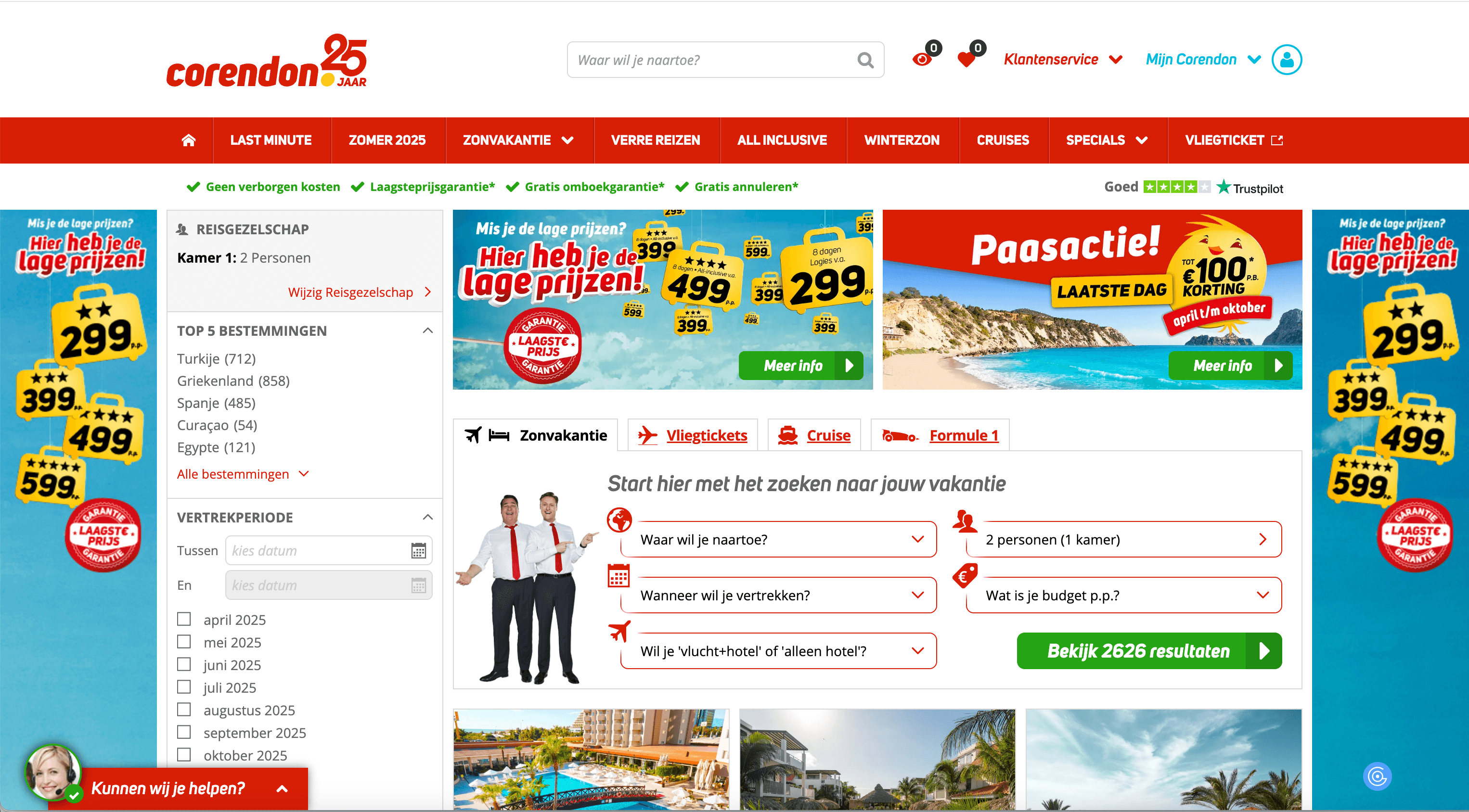
🌍 What can you scrape with Corendon Scraper
Scrapebit’s Corendon Scraper is perfect for extracting up-to-date travel information, including flight schedules, cruise itineraries, prices, and more. Here’s how you can use it for two of the most popular use cases:
🛫 Scrape Corendon Flights Search Result Page
With the Corendon Flights Search Result Page, you can extract detailed flight listings, including departure and arrival times, prices, and airline details. This is ideal for travel agents, researchers, or anyone comparing flight options.
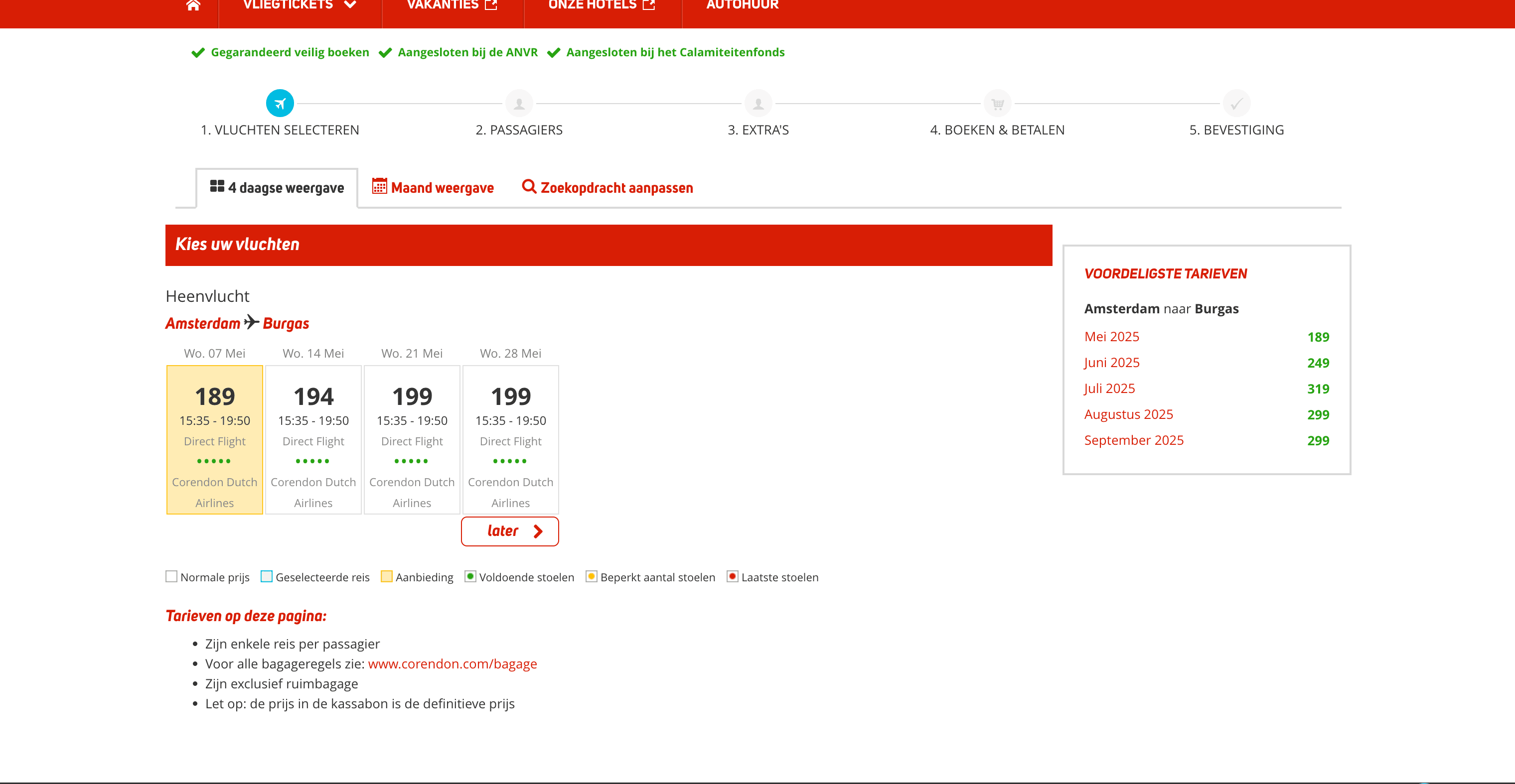
Steps:
- Sign up for Scrapebit — choose any access method: Web App for in-browser scraping, Chrome Extension to scrape any page you visit, or the REST API for automation.
- Go to the destination page, for example: Corendon Flights Search Result.
- Click AI Suggest Columns, which recommends column names.
- Click Scrape to run the scraper, get data, and download the file.
Column names
🚢 Scrape Corendon Cruises Search Result Page
The Corendon Cruises Search Result Page lets you extract cruise listings, including ship names, itineraries, departure dates, and prices. This is especially useful for travel consultants, cruise enthusiasts, and data analysts tracking cruise trends.
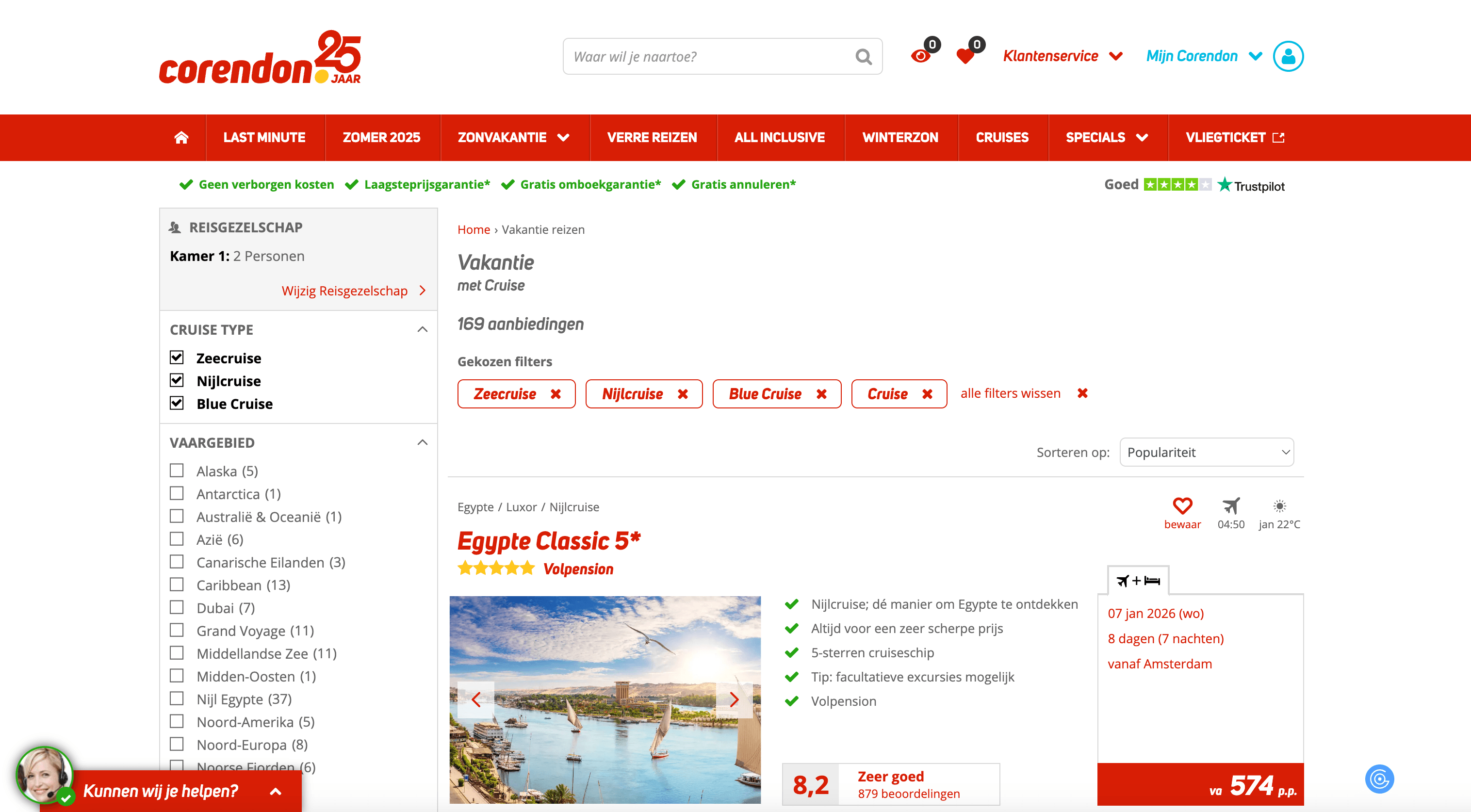
Steps:
- Sign up for Scrapebit — choose any access method: Web App for in-browser scraping, Chrome Extension to scrape any page you visit, or the REST API for automation.
- Go to the destination page, for example: Corendon Cruises Search Result.
- Click AI Suggest Columns, which recommends column names.
- Click Scrape to run the scraper, get data, and download the file.
Column names
💡 Why Use Corendon Scraper Tool
Scraping Corendon’s travel listings can save you hours of manual work and provide you with up-to-date, structured data for:
- Travel Agents & Agencies: Compare flight and cruise options, monitor price changes, and build custom travel packages.
- Market Researchers: Analyze travel trends, pricing strategies, and popular destinations.
- Ecommerce & Affiliate Marketers: Aggregate travel deals for your website or newsletter.
- Data Analysts: Build dashboards or run analytics on travel data for business intelligence.
- Frequent Travelers: Track the best deals and plan trips more efficiently.
With Scrapebit’s AI-powered approach, you don’t need to write code or deal with complex scraping tools—just point, click, and collect.
🧩 How to Use Corendon Chrome Extension
- Install the Scrapebit Chrome Extension: Download Scrapebit (as a Web App or Chrome Extension) and register your account.
- Navigate to Corendon Flights or Cruises Page: Go to the Corendon Flights Search Result or Corendon Cruises Search Result page.
- Activate AI-Powered Scraper: Click AI Suggest Columns to let Scrapebit’s AI generate column names, or customize columns to fit your needs.
For a more detailed walkthrough, check out the Scrapebit Blog or watch tutorials on the Scrapebit YouTube Channel.
💸 Pricing for Corendon Scraper
Scrapebit uses a credit-based system: 1 credit = 1 output row. The AI-powered scraper is free to try, and you can scrape up to 6 pages per month on the Free Plan. If you start a free trial, you can scrape 10 pages for free before choosing a paid plan.
Here’s a quick overview of the plans:
- A credit is an output row—for example, scraping 100 flights will use 100 credits.
- The AI Suggest Columns feature is included for free.
- The yearly plan is the most cost-effective, offering a significant discount compared to monthly billing.
For more details, visit the Scrapebit Pricing page.
❓ FAQ
-
What is the AI Powered Corendon Scraper?
The AI Powered Corendon Scraper is a Chrome Extension that uses artificial intelligence to extract structured data from Corendon’s website. It automatically identifies relevant columns for flights, cruises, and other travel listings, making data collection fast and accurate.
-
What is Scrapebit?
Scrapebit is an AI-driven productivity tool that helps you automate web scraping, data extraction, and repetitive online tasks. It’s designed for business users, marketers, researchers, and anyone who needs to collect data from the web without coding.
-
How do I get started with the Corendon Scraper?
Simply install Scrapebit (as a Web App or Chrome Extension), register your account, and navigate to the Corendon page you want to scrape. Use the AI Suggest Columns feature to set up your data extraction, then click Scrape.
-
What types of data can I extract from Corendon?
You can extract flight details (flight number, airline, departure/arrival info, price) and cruise details (cruise name, itinerary, dates, price, cabin type), as well as booking links and more. The AI will suggest the most relevant columns for each page.
-
Is there a free trial available?
Yes, Scrapebit offers a free trial that lets you scrape up to 10 pages at no cost. The free plan also allows you to scrape 6 pages per month, making it easy to test the tool before upgrading.
-
How does the credit system work?
Each output row equals one credit. For example, if you scrape a page with 50 flight listings, you’ll use 50 credits. Credits are included in all paid plans, and you can choose a plan based on your expected usage.
-
Can I customize the columns I want to scrape?
Absolutely. After using AI Suggest Columns, you can adjust, add, or remove columns to fit your specific needs. This flexibility ensures you get exactly the data you want.
-
Is it legal to scrape data from Corendon?
Scraping publicly available data for personal or business use is generally allowed, but you should always review Corendon’s terms of service and ensure compliance with local laws and regulations. Use the data responsibly and ethically.
-
Where can I learn more about web scraping and Scrapebit?
You can explore the Scrapebit Blog for guides like What Is Data Scraping and How to Do It in 2025, How to Scrape Website Data into Excel using AI, and The Best Web Scraping Tools & Software in 2025. For video tutorials, visit the Scrapebit YouTube Channel.
📚 Learn More
- Scrapebit Official Website
- Scrapebit Chrome Extension Download Page
- Scrapebit Blog
- How to Scrape Public Web Pages Using AI
- How to Scrape Website Data into Excel using AI
- The Best Web Scraping Tools & Software in 2025
- Scrapebit YouTube Channel
With Scrapebit’s AI-Powered Corendon Scraper, you can transform travel data collection into a quick, reliable, and structured process—perfect for travel professionals, analysts, and anyone who needs accurate travel information from Corendon.
Ready to use this template?
Install the Scrapebit Chrome extension and start scraping in minutes.